
RESOURCES
What Is GitOps? Argo CD Explained with Architecture and Real-World Examples
Learn what GitOps is, how it works, and how Argo CD automates Kubernetes deployments. Explore GitOps architecture, Argo CD components, automated synchronization, self-healing, and real-world deployment examples in simple, beginner-friendly language.
Vyomanant Academy
Build these skills hands-on
Explore structured, practical technology programs from Vyomanant Academy.
Explore CoursesOn this page
Imagine you're managing an application running on Kubernetes.
Every time developers release a new version, someone needs to update the deployment configuration and apply it to the cluster.
But what if updating a Git repository was enough to trigger the deployment process automatically?
That's the idea behind GitOps.
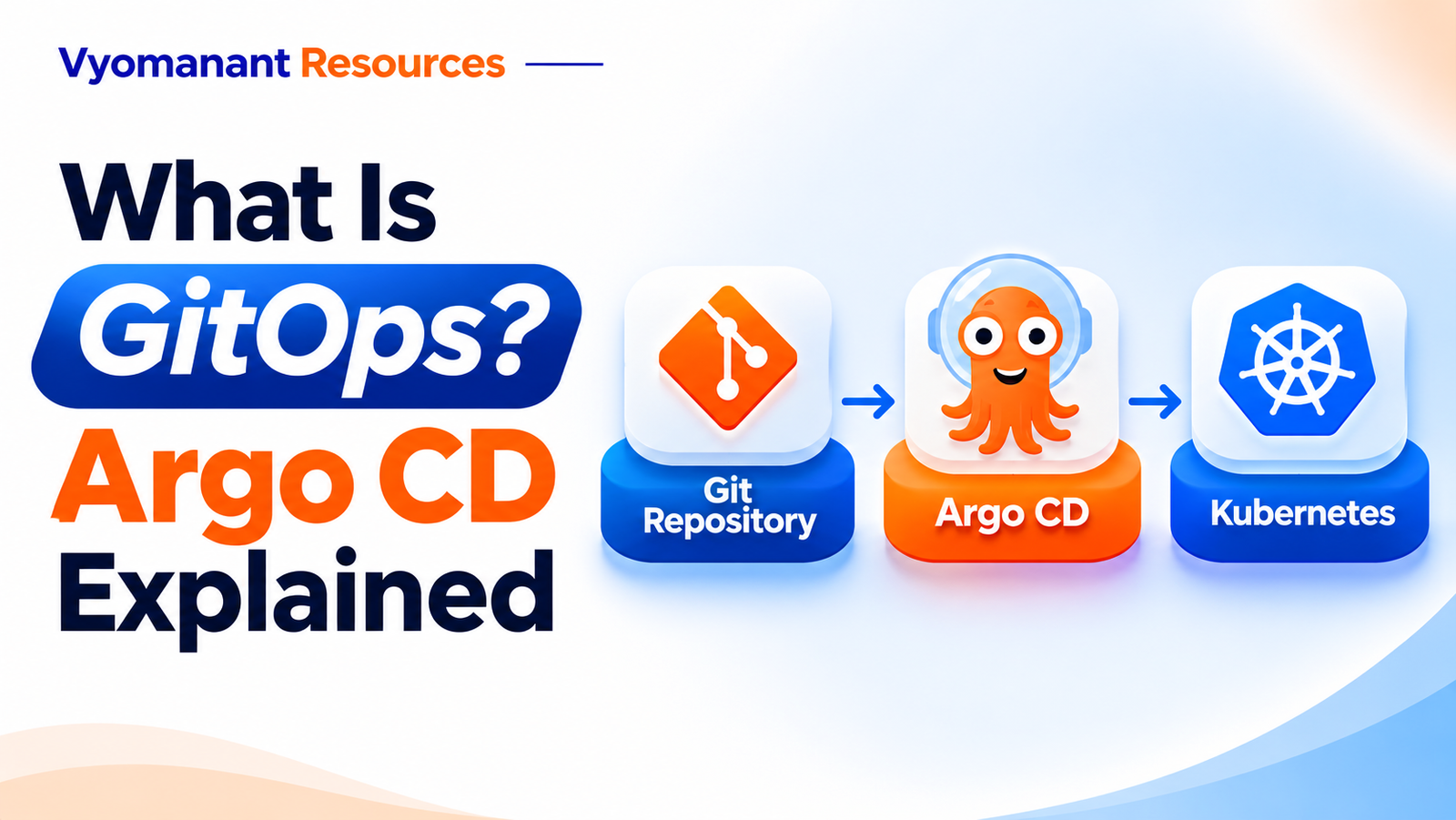
GitOps uses Git as the source of truth for infrastructure and application configuration. Tools like Argo CD continuously monitor Git and help keep Kubernetes environments aligned with the desired configuration.
Let's understand GitOps and Argo CD with simple examples.
1. What Is GitOps?
GitOps is an approach to managing infrastructure and application deployments using Git as the source of truth for the desired system state.
Instead of manually making changes directly in production, teams define the desired configuration in Git.
A GitOps controller then compares that configuration with the actual environment and works to reconcile differences.
Simple Example
Imagine your Kubernetes application is running three replicas.
Your Git repository contains:
spec:
  replicas: 3
Now you want five replicas.
You update the configuration in Git:
spec:
  replicas: 5
After the change is merged, Argo CD can detect the updated configuration and synchronize it with Kubernetes.
Result: Kubernetes is updated to run five replicas, assuming sufficient cluster resources and a successful rollout.
Key Point: GitOps makes Git the place where teams review and manage their desired deployment configuration.
2. Why Do We Need GitOps?
In traditional deployment workflows, engineers may execute commands manually or use pipelines that directly modify production environments.
For example:
kubectl apply -f deployment.yaml
This works, but manual changes can introduce challenges:
- Configuration differences between environments.
- Limited visibility into who changed what.
- Accidental changes in production.
- Difficult rollback processes.
- Inconsistent deployment practices.
GitOps addresses these problems through version-controlled configuration and automated reconciliation.
Simple Analogy
Think of Git as a blueprint for a building.
The blueprint describes how the building should look.
Argo CD acts like an inspector that regularly compares the actual building with the approved blueprint.
If something changes unexpectedly, Argo CD can detect the difference and, when configured, restore the intended configuration.
In Simple Terms: Git defines what should exist. Argo CD helps make the Kubernetes cluster match it.
3. How Does GitOps Work?
GitOps generally follows a simple workflow:
Change Configuration → Commit to Git → Review & Merge → Detect Changes → Synchronize → Verify
Step-by-Step Example
Scenario: Deploy version 2 of a web application.
- Update Configuration: Change the container image tag from
v1tov2. - Commit Changes: Push the updated Kubernetes manifest to Git.
- Review: A team member reviews and merges the pull request.
- Detect Changes: Argo CD notices the new desired configuration.
- Synchronize: Argo CD applies the required changes to Kubernetes.
- Verify: Kubernetes rolls out the new application version.
Important: Argo CD can synchronize automatically when automated sync is enabled. Otherwise, a user must initiate synchronization.
4. GitOps Architecture with Argo CD
Argo CD is a declarative GitOps continuous delivery tool for Kubernetes.
It monitors application configuration stored in Git and compares it with the actual Kubernetes resources.
Basic Architecture
             DEVELOPER
                 |
                 v
          +-------------+
          | Git Repo    |
          | Kubernetes  |
          | Manifests   |
          +------+------+
                 |
                 v
          +-------------+
          |   Argo CD   |
          |             |
          | Repo Server |
          | Application |
          | Controller  |
          +------+------+
                 |
        Compare Desired
         vs Actual State
                 |
                 v
          +-------------+
          | Kubernetes  |
          | Cluster     |
          +------+------+
                 |
                 v
          +-------------+
          | Running     |
          | Application |
          +-------------+
How It Works
- Git Repository: Stores the desired application configuration.
- Argo CD Repo Server: Retrieves and generates deployment manifests.
- Application Controller: Compares the desired configuration with the live Kubernetes state.
- Kubernetes Cluster: Runs the application and its supporting resources.
- Argo CD UI/API: Allows engineers to inspect application status and manage synchronization.
Key Point: Argo CD follows a pull-based reconciliation approach, where the controller retrieves the desired configuration rather than requiring a CI pipeline to directly deploy every change.
5. Key Components of Argo CD
1. API Server
The Argo CD API server provides access to Argo CD functionality through its API, web interface, and CLI.
Example: A DevOps engineer opens the Argo CD dashboard to check whether an application is synchronized.
Purpose: Application management and user interaction.
2. Repository Server
The repository server retrieves Git content and generates Kubernetes manifests.
It supports configuration formats such as:
- Plain Kubernetes YAML.
- Helm charts.
- Kustomize.
- Supported configuration management plugins.
Example: Argo CD retrieves a Helm chart and renders the Kubernetes manifests.
Purpose: Prepare the desired configuration for comparison and deployment.
3. Application Controller
The application controller monitors applications and compares desired configuration with the live Kubernetes state.
Example: Git specifies four replicas, but the live Deployment specifies two.
Argo CD detects that the application is out of sync.
Purpose: Detect configuration differences and coordinate reconciliation.
4. Application Resource
An Argo CD Application is a Kubernetes custom resource that describes what should be deployed.
It typically specifies:
- Git repository URL.
- Repository revision.
- Manifest directory or chart.
- Destination cluster.
- Destination namespace.
- Synchronization policy.
Purpose: Connect a desired configuration source to a Kubernetes destination.
6. Real-World Example: Deploying an Application with Argo CD
Let's deploy a simple Nginx application using GitOps.
Step 1: Create a Kubernetes Deployment
Create a file named deployment.yaml:
apiVersion: apps/v1
kind: Deployment
metadata:
  name: nginx-app
spec:
  replicas: 2
  selector:
    matchLabels:
      app: nginx
  template:
    metadata:
      labels:
        app: nginx
    spec:
      containers:
        - name: nginx
          image: nginx:1.27
          ports:
            - containerPort: 80
This configuration defines an Nginx application with two replicas.
Step 2: Store the Configuration in Git
Example repository structure:
gitops-demo/
└── kubernetes/
    └── deployment.yaml
Commit and push the files to a Git repository accessible to Argo CD.
Step 3: Create an Argo CD Application
Create an application.yaml file:
apiVersion: argoproj.io/v1alpha1
kind: Application
metadata:
  name: nginx-app
  namespace: argocd
spec:
  project: default
  source:
    repoURL: https://github.com/your-org/gitops-demo.git
    targetRevision: main
    path: kubernetes
  destination:
    server: https://kubernetes.default.svc
    namespace: default
  syncPolicy:
    automated:
      prune: true
      selfHeal: true
    syncOptions:
      - CreateNamespace=true
Replace the repository URL with your actual Git repository.
What This Configuration Means:
repoURL: Git repository containing the manifests.targetRevision: Git branch or revision.path: Directory containing Kubernetes configuration.destination: Target Kubernetes cluster and namespace.automated: Enables automatic synchronization.prune: Allows deletion of managed resources removed from the desired configuration.selfHeal: Allows Argo CD to correct detected live-state drift.
Important: Automated pruning can delete resources. Review its impact before enabling it in production.
Step 4: Apply the Argo CD Application
Assuming Argo CD is already installed and configured:
kubectl apply -f application.yaml
Check the Application:
kubectl get applications -n argocd
Check the deployed Pods:
kubectl get pods -n default
Step 5: Update the Application
Change the replica count in Git:
spec:
  replicas: 3
Commit and push the change.
With automated synchronization enabled, Argo CD detects the change and updates the Deployment.
Result: The desired replica count changes from two to three through a Git-managed workflow.
7. What Is Automated Synchronization?
Synchronization is the process of applying the desired Git configuration to the Kubernetes environment.
Argo CD supports manual and automated synchronization.
Manual Sync
An engineer reviews the differences and initiates synchronization.
Automated Sync
Argo CD automatically attempts synchronization when it detects eligible changes to the desired configuration.
Example:
Git contains:
replicas: 4
Kubernetes contains:
replicas: 2
Argo CD detects the difference and can synchronize the cluster to four replicas.
Key Point: Automated synchronization reduces manual deployment work while keeping configuration changes traceable in Git.
8. What Is Self-Healing in Argo CD?
Self-healing allows Argo CD to correct certain differences between the live Kubernetes state and the desired configuration in Git.
Real-World Example
Git specifies:
replicas: 3
Someone manually changes the Deployment:
kubectl scale deployment nginx-app --replicas=1
With automated synchronization and self-healing enabled, Argo CD can detect this drift and restore the desired replica count.
Result: The cluster returns to the configuration defined in Git.
Important: Self-healing corrects supported configuration drift. It does not automatically fix application bugs, unavailable nodes, or every infrastructure failure.
9. GitOps vs Traditional CI/CD
| Traditional CI/CD Deployment | GitOps with Argo CD |
|---|---|
| Pipeline often deploys directly to the cluster | Argo CD reconciles configuration from Git |
| Deployment credentials may be required in CI | Cluster deployment access is managed by Argo CD |
| Pipeline initiates deployment | Controller detects and reconciles desired state |
| Configuration drift may require separate detection | Built-in desired-vs-live comparison |
| Rollbacks depend on pipeline design | Previous configuration can be restored through Git |
Simple Example
Traditional CI/CD:
Git Push → Build → Test → Deploy to Kubernetes
GitOps:
Git Push → Build → Test → Publish Image
                              |
                              v
                  Update GitOps Repository
                              |
                              v
                           Argo CD
                              |
                              v
                         Kubernetes
Remember: GitOps does not replace CI. CI still builds, tests, and publishes application artifacts, while Argo CD manages Kubernetes delivery.
10. Helm, Kustomize, and Argo CD
Argo CD can work with multiple Kubernetes configuration approaches.
Helm
Helm packages Kubernetes applications using reusable charts and configurable values.
Example: Deploy the same application to development and production using different Helm values.
Kustomize
Kustomize allows teams to customize Kubernetes manifests for different environments.
Example: Development uses one replica, while production uses three replicas.
Argo CD
Argo CD retrieves the configuration, renders the required manifests, compares them with the cluster, and manages synchronization.
Key Point: Helm and Kustomize help define Kubernetes configuration. Argo CD helps deliver and reconcile that configuration.
11. Benefits of GitOps
Version-Controlled Configuration
Git provides a history of deployment configuration changes.
Easier Reviews
Pull requests allow teams to review changes before merging.
Consistent Environments
Declarative configuration helps reduce differences between environments.
Automated Reconciliation
Argo CD continuously compares desired and actual application state.
Improved Visibility
The Argo CD dashboard displays synchronization and application health information.
Easier Configuration Rollbacks
Teams can revert Git changes and synchronize a previous configuration.
Note: Reverting configuration does not automatically reverse database migrations or other irreversible application changes.
12. Common GitOps and Argo CD Problems
Application Is OutOfSync
Possible Cause: Git configuration differs from live Kubernetes resources.
Check:
kubectl get applications -n argocd
Inspect the application's differences in the Argo CD UI.
Application Is Degraded
Possible Cause: Kubernetes resources are unhealthy, such as Pods failing readiness checks.
Check:
kubectl get pods -n default
kubectl describe pod <pod-name>
Repository Connection Failed
Possible Cause: Incorrect repository URL, authentication, or network connectivity.
Solution: Verify repository configuration, credentials, and connectivity.
Application Is Not Updating
Possible Causes:
- Automated synchronization is disabled.
- Incorrect branch or directory.
- Manifest generation errors.
- Synchronization failures.
Solution: Check the Argo CD Application status, repository configuration, and controller logs.
Troubleshooting Tip: Always distinguish between synchronization status and application health. An application can be synchronized but still unhealthy.
13. GitOps Best Practices
- Use Pull Requests: Review configuration changes before merging.
- Separate Environments: Maintain clear development, staging, and production configurations.
- Protect Secrets: Use approved secret-management solutions instead of committing plaintext credentials.
- Use RBAC: Limit who can manage Argo CD applications and clusters.
- Monitor Application Health: Track both synchronization and workload health.
- Use Immutable Image References: Prefer image digests or carefully managed version tags.
- Review Automated Pruning: Understand which resources may be deleted.
- Test Rollbacks: Verify recovery procedures before production incidents.
Best Practice: Start with a non-production Kubernetes application before introducing GitOps into critical environments.
14. When Should You Use GitOps?
GitOps is particularly useful when:
- Managing multiple Kubernetes applications.
- Maintaining development, staging, and production environments.
- Standardizing deployments across teams.
- Tracking infrastructure and configuration changes.
- Reducing manual deployment operations.
- Improving deployment visibility and auditability.
However, a small application with simple deployment requirements may not need a dedicated GitOps platform.
Choose GitOps when its consistency and automation benefits justify the additional operational complexity.
15. Final Thoughts
GitOps is a modern approach to managing deployments using Git as the source of truth for desired configuration.
Argo CD brings this approach to Kubernetes by continuously comparing Git configuration with the actual cluster state and reconciling differences.
Together, GitOps and Argo CD help teams achieve more consistent, traceable, and automated deployments.
Key Takeaway: CI builds and tests your application. GitOps defines the desired deployment state. Argo CD helps keep Kubernetes aligned with that state.
CONTINUE EXPLORING
Recommended next

What Is Artificial Intelligence? A Simple Beginner's Guide
Learn what Artificial Intelligence (AI) means, how it works, and where we use it in everyday life, with simple examples that anyone can understand.
View resource
What Is Machine Learning? A Simple Beginner's Guide
Discover what Machine Learning is, how computers learn from data, and how predictions work. Explore key ML concepts, learning types, and real-world examples in this beginner-friendly guide.
View resource
What Is Information Technology? A Beginner's Guide
Discover what Information Technology (IT) is, how it works, its main components, everyday applications, and how beginners can start learning IT.
View resource