
RESOURCES
What Is Cloud FinOps? Architecture, Lifecycle, Cost Optimization and Real-World Examples
Learn what Cloud FinOps is, how it works, and why it matters for managing cloud costs. Explore the FinOps lifecycle, cost optimization strategies, AWS and Azure examples, essential tools, and best practices in a simple, beginner-friendly guide.
Vyomanant Academy
Build these skills hands-on
Explore structured, practical technology programs from Vyomanant Academy.
Explore CoursesOn this page
Imagine your company runs applications on AWS or Microsoft Azure.
Everything works perfectly, but at the end of the month, the cloud bill suddenly increases from $2,000 to $5,000.
Nobody knows exactly why.
- Did someone create unnecessary servers?
- Are resources running when nobody uses them?
- Is the company paying for unused storage?
- Which application is consuming the most money?
This is where Cloud FinOps comes in.
Cloud FinOps helps organizations understand, manage, and optimize cloud spending while maintaining business value.
Let's understand how it works with simple examples.
1. What Is Cloud FinOps?
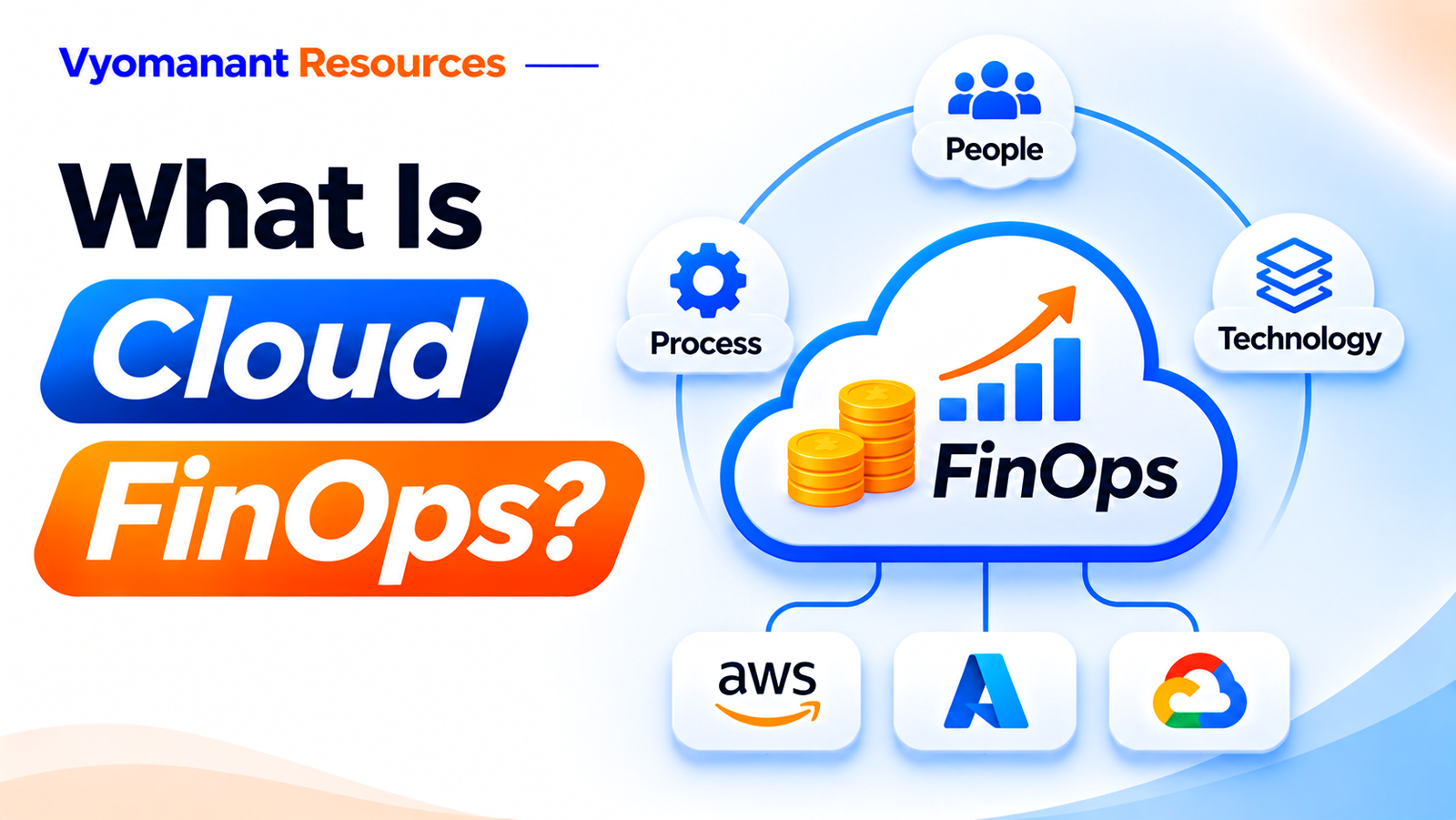
Cloud FinOps (Cloud Financial Operations) is an operational framework and cultural practice that brings engineering, finance, and business teams together to manage cloud spending and maximize business value.
Instead of treating cloud costs as only the finance team's responsibility, FinOps encourages shared accountability.
Simple Example
Imagine a company has 20 cloud servers.
- 10 servers are actively used.
- 5 servers are oversized.
- 5 development servers run 24/7 unnecessarily.
A FinOps process helps the company identify these inefficiencies and make informed decisions about reducing costs.
Key Point: FinOps is not just about spending less money. It is about getting maximum business value from cloud investments.
2. Why Do We Need Cloud FinOps?
Cloud platforms make it easy to create infrastructure within minutes.
However, cloud spending can increase quickly because of:
- Overprovisioned virtual machines.
- Unused cloud resources.
- Unnecessary storage.
- Idle development environments.
- Excessive data transfer.
- Poor resource visibility.
- Unexpected traffic increases.
Simple Analogy
Think of cloud computing like an electricity connection.
You pay based on consumption.
If lights, fans, and air conditioners run unnecessarily, your electricity bill increases.
Similarly, unused or inefficient cloud resources can increase cloud spending.
FinOps works like an energy management system that helps you understand consumption and improve efficiency.
3. How Does Cloud FinOps Work?
FinOps is commonly explained through three iterative phases:
Inform → Optimize → Operate
These phases help organizations understand cloud spending, identify improvements, and continuously manage costs.
Cloud FinOps Lifecycle
        +----------------+
        |     INFORM     |
        | Understand     |
        | Cloud Spending |
        +-------+--------+
                |
                v
        +----------------+
        |    OPTIMIZE    |
        | Improve Cost   |
        | Efficiency     |
        +-------+--------+
                |
                v
        +----------------+
        |    OPERATE     |
        | Monitor and    |
        | Manage Costs   |
        +-------+--------+
                |
                v
        Continuous Improvement
                |
                +----> INFORM
Phase 1: Inform — Understand Cloud Spending
The first step is to understand where cloud money is going.
Teams analyze:
- Total cloud spending.
- Cost by application.
- Cost by team or department.
- Resource utilization.
- Spending trends.
- Budget differences.
Example:
A company discovers that its development environment consumes 30% of the monthly cloud budget.
Goal: Improve cost visibility and accountability.
Phase 2: Optimize — Improve Cost Efficiency
Once teams understand their spending, they identify optimization opportunities.
Examples include:
- Rightsizing virtual machines.
- Removing unused resources.
- Scheduling non-production environments.
- Choosing appropriate storage tiers.
- Using commitment-based discounts.
- Improving application resource efficiency.
Example:
A development server runs continuously but is needed only during office hours.
Scheduling it to stop outside working hours can reduce compute charges.
Goal: Reduce unnecessary spending without compromising application requirements.
Phase 3: Operate — Continuously Manage Costs
Cloud optimization is not a one-time activity.
Teams establish processes to manage spending continuously.
Examples include:
- Monthly cost reviews.
- Budget alerts.
- Cost ownership.
- Automated reporting.
- Cost anomaly detection.
- Optimization tracking.
Example:
A company configures alerts when projected cloud spending exceeds its monthly budget.
Goal: Make cost management part of everyday engineering operations.
4. Cloud FinOps Architecture
Cloud FinOps typically combines cloud billing data, resource utilization information, cost analysis, and organizational decision-making.
Basic Architecture
         CLOUD PLATFORMS
        AWS / Azure / GCP
                |
                v
        Billing & Usage Data
                |
                v
       Cost Analysis Platform
                |
       +--------+--------+
       |                 |
       v                 v
   Cost Reports     Usage Metrics
       |                 |
       +--------+--------+
                |
                v
         FinOps Analysis
                |
       +--------+--------+
       |        |        |
       v        v        v
    Inform   Optimize  Operate
       |        |        |
       +--------+--------+
                |
                v
        Engineering Teams
        Finance Teams
        Business Teams
                |
                v
       Better Cloud Decisions
Important: This is a conceptual architecture. FinOps is an operating framework, not a single software product or mandatory technical architecture.
5. Key Cloud FinOps Concepts
1. Cost Visibility
Cost visibility means understanding where cloud spending occurs.
For example:
| Application | Monthly Cost |
|---|---|
| Production Website | $1,500 |
| Development Environment | $800 |
| Database Services | $500 |
| Storage and Backups | $200 |
| Total | $3,000 |
With this information, teams can identify which applications or services require investigation.
2. Resource Tagging
Tags help organize cloud resources by ownership, application, environment, or department.
Example AWS Tags:
Environment = Production
Application = Ecommerce
Team        = DevOps
CostCenter  = Engineering
These tags can support cost allocation when configured appropriately in the cloud billing platform.
Purpose: Understand who owns resources and how costs should be allocated.
3. Rightsizing
Rightsizing means selecting cloud resources that match actual workload requirements.
Example:
A virtual machine has:
CPU Utilization: 10%
Memory Usage:    20%
The server may be oversized.
Engineers can evaluate whether a smaller instance would meet performance and reliability requirements.
Important: Rightsizing decisions should consider peak usage, memory requirements, and application performance—not average CPU alone.
4. Cost Allocation
Cost allocation assigns cloud spending to relevant applications, teams, or business units.
Example:
Total Cloud Bill: $10,000

Engineering: $5,000
Data Team:   $3,000
Testing:     $2,000
Purpose: Improve financial accountability and help teams make informed spending decisions.
5. Budgeting and Forecasting
Budgeting establishes expected spending limits or targets.
Forecasting estimates future spending using usage trends and other assumptions.
Example:
A team has a monthly cloud budget of $4,000.
If projected spending reaches $4,800, the team can investigate the difference before the month ends.
Purpose: Reduce unexpected cloud expenses.
6. Real-World Example: Reducing AWS Cloud Costs
Scenario: A company spends $5,000 per month on AWS.
After reviewing its infrastructure, the team discovers:
- Oversized EC2 instances.
- Development servers running overnight.
- Unused EBS volumes.
- Storage that could use more appropriate tiers.
Step 1: Analyze Spending
Use AWS Cost Explorer to understand spending by service and usage type.
Step 2: Identify Inefficient Resources
Review resource utilization using CloudWatch and relevant AWS recommendations.
Step 3: Optimize Infrastructure
The team:
- Rightsizes selected EC2 instances.
- Schedules development servers.
- Deletes verified unused resources.
- Reviews storage lifecycle policies.
Step 4: Measure Results
Suppose monthly spending decreases:
Before Optimization: $5,000
After Optimization:  $3,500

Monthly Savings:     $1,500
Annualized Savings:  $18,000
Cost Reduction:      30%
These figures are illustrative, not guaranteed savings.
Result: The company reduces unnecessary cloud spending while maintaining its required application performance.
Key Point: Successful FinOps optimization measures both cost and business impact.
7. Cloud FinOps Tools
Cloud providers offer built-in tools for analyzing and managing costs.
| Cloud Platform | Useful Tools |
|---|---|
| AWS | Cost Explorer, AWS Budgets, Cost and Usage Reports, Compute Optimizer |
| Microsoft Azure | Microsoft Cost Management, Azure Advisor, Azure Monitor |
| Google Cloud | Cloud Billing Reports, Budgets and Alerts, Recommender |
Organizations may also use third-party FinOps platforms for consolidated reporting and optimization.
Example: AWS
AWS Cost Explorer helps analyze historical spending and usage patterns.
AWS Budgets helps track spending against defined budgets.
AWS Compute Optimizer provides resource optimization recommendations.
Example: Azure
Microsoft Cost Management provides cost analysis, budgets, and reporting capabilities.
Azure Advisor provides recommendations, including selected cost optimization opportunities.
Remember: Tools provide data and recommendations. FinOps also requires people, processes, and ownership.
8. FinOps vs Traditional Cost Management
| Traditional Cost Management | Cloud FinOps |
|---|---|
| Often focuses on periodic financial reporting | Encourages continuous cost visibility |
| Finance may own most cost reviews | Engineering, finance, and business collaborate |
| Spending is often reviewed after billing | Usage and costs can be monitored throughout the month |
| Focuses heavily on budgets | Connects spending to business value |
| May involve manual reporting | Encourages automation and timely decisions |
Key Difference: FinOps brings financial accountability closer to the teams making cloud architecture and usage decisions.
9. How DevOps and FinOps Work Together
DevOps focuses on improving software delivery and operations.
FinOps focuses on maximizing the value of technology spending.
Both can work together.
Example: Kubernetes Cost Optimization
A DevOps team deploys applications to Kubernetes.
The applications work correctly, but resource requests are much higher than actual usage.
The team reviews:
- CPU and memory requests.
- Node utilization.
- Cluster autoscaling.
- Idle environments.
- Application performance.
Using FinOps practices, engineers identify optimization opportunities and make changes after appropriate testing.
Result: The organization can improve resource efficiency while maintaining application reliability.
Key Point: DevOps helps teams deliver and operate applications. FinOps helps teams understand and improve the economics of those operations.
10. Important Cloud FinOps Metrics
Organizations use several metrics to measure financial efficiency.
| Metric | Meaning |
|---|---|
| Total Cloud Spend | Overall cloud expenditure |
| Cost per Application | Spending attributed to an application |
| Cost per Customer | Cloud cost divided by customers served |
| Cost per Transaction | Cloud cost divided by transactions processed |
| Resource Utilization | How effectively provisioned resources are used |
| Budget Variance | Difference between planned and actual spending |
| Commitment Utilization | How effectively purchased commitments are used |
Simple Example
Suppose an application costs $2,000 per month and processes 100,000 transactions.
Cost per Transaction
= Total Application Cost / Transactions

= $2,000 / 100,000

= $0.02 per transaction
If the company improves efficiency and reduces cost per transaction without reducing service quality, it creates better business value.
11. Cloud FinOps Best Practices
Start with Cost Visibility
Understand cloud spending before making optimization decisions.
Assign Resource Ownership
Use consistent tags, accounts, subscriptions, and cost allocation practices.
Eliminate Waste
Identify verified unused resources, unnecessary environments, and inefficient configurations.
Automate Cost Monitoring
Configure budgets, reports, and anomaly alerts.
Optimize Carefully
Test changes before reducing production capacity or changing critical resources.
Track Business Value
Measure cost per transaction, customer, workload, or another relevant business metric.
Review Costs Regularly
Make FinOps reviews part of normal engineering and financial operations.
Best Practice: Optimize for cost efficiency, performance, reliability, and business requirements together.
12. Is Cloud FinOps a Good Skill for DevOps Engineers?
Yes. Cloud cost awareness is increasingly valuable for engineers who design and operate cloud infrastructure.
Useful skills include:
- AWS or Azure cost analysis.
- Cloud resource utilization.
- Infrastructure as Code.
- Kubernetes resource optimization.
- Monitoring and reporting.
- Budgeting fundamentals.
- Cloud architecture efficiency.
Practical Project Idea
Build a Cloud Cost Optimization Dashboard
- Deploy a small application to AWS or Azure.
- Apply resource ownership tags.
- Configure billing reports and budget alerts.
- Collect relevant utilization metrics.
- Identify potential cost optimization opportunities.
- Document estimated and measured savings.
Career Tip: Being able to explain how you improved cloud efficiency while preserving reliability can strengthen your DevOps or cloud engineering portfolio.
13. Final Thoughts
Cloud FinOps helps organizations understand, manage, and optimize cloud spending through collaboration between engineering, finance, and business teams.
Its iterative Inform, Optimize, and Operate lifecycle supports continuous financial accountability and cost efficiency.
From identifying idle servers to improving Kubernetes resource utilization, FinOps helps teams make smarter cloud decisions.
Key Takeaway: Cloud FinOps is not simply about reducing cloud bills. It is about maximizing the business value of every cloud investment.
CONTINUE EXPLORING
Recommended next

What Is Artificial Intelligence? A Simple Beginner's Guide
Learn what Artificial Intelligence (AI) means, how it works, and where we use it in everyday life, with simple examples that anyone can understand.
View resource
What Is Machine Learning? A Simple Beginner's Guide
Discover what Machine Learning is, how computers learn from data, and how predictions work. Explore key ML concepts, learning types, and real-world examples in this beginner-friendly guide.
View resource
What Is Information Technology? A Beginner's Guide
Discover what Information Technology (IT) is, how it works, its main components, everyday applications, and how beginners can start learning IT.
View resource