
RESOURCES
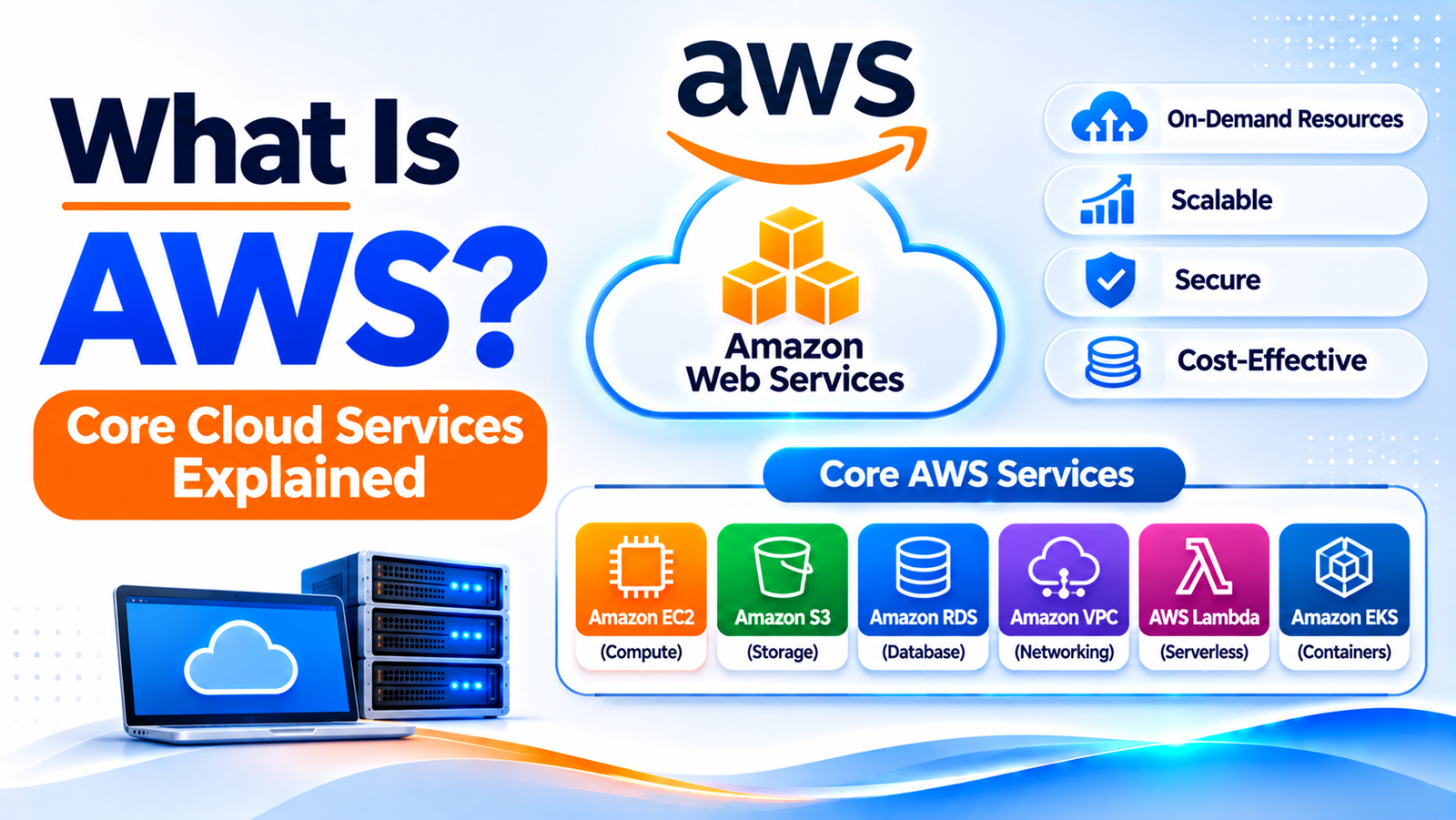
What Is AWS? Core Cloud Services Explained — A Beginner’s Guide
Discover what Amazon Web Services (AWS) is and how its core cloud services work. Learn EC2, S3, RDS, Lambda, VPC, IAM, pricing basics, and practical use cases.
Vyomanant Academy
Build these skills hands-on
Explore structured, practical technology programs from Vyomanant Academy.
Explore CoursesOn this page
What Is AWS? Core Cloud Services Explained
Introduction
Imagine you want to launch an online learning platform.
Your website needs a place to run, a database to store student information, storage for course materials, and security controls to protect user accounts.
Traditionally, an organization might purchase servers, install software, configure networks, and maintain physical infrastructure.
Today, many of these resources can be obtained through cloud computing.
One of the best-known cloud platforms is Amazon Web Services (AWS).
AWS allows individuals, startups, and large organizations to use computing infrastructure and managed technology services without owning the underlying data center equipment.
But what exactly is AWS? How does it work? And which services should beginners learn first?
This guide explains AWS through practical examples and introduces the cloud services that form the foundation of many real-world applications.
What Will You Learn?
- AWS Fundamentals: What AWS is and how it works.
- Cloud Infrastructure: Regions, Availability Zones, and data centers.
- Amazon EC2: Virtual servers in the cloud.
- Amazon S3: Object storage for files and application data.
- Amazon RDS: Managed relational databases.
- AWS Lambda: Running code without managing servers.
- Amazon VPC: Private networking in AWS.
- AWS IAM: Managing identities and permissions.
- Other Essential Services: Load balancing, monitoring, DNS, and content delivery.
- Costs and Security: What beginners should understand before using AWS.
- Practical Architecture: How AWS services work together.
1. What Is AWS?
Amazon Web Services (AWS) is a cloud computing platform provided by Amazon.
It offers services for computing, storage, databases, networking, security, analytics, artificial intelligence, and many other technology needs.
Instead of purchasing and operating every physical server yourself, you can use AWS services over the internet or through private network connections.
AWS in Simple Words
AWS is a collection of cloud services that lets you build, run, store, secure, and manage applications using infrastructure operated by Amazon.
For example, a business can use AWS to:
- Host Websites: Run web applications on cloud servers.
- Store Files: Keep documents, images, and backups in cloud storage.
- Manage Databases: Store structured application information.
- Run Code: Execute application functions when needed.
- Connect Systems: Create cloud networks and control traffic.
- Monitor Applications: Collect logs, metrics, and alerts.
AWS provides the underlying cloud platform, while customers configure and manage the services they choose.
Key Point: AWS is not one application or one server. It is a platform containing many different cloud services.
2. Understanding AWS with a Real-Life Analogy
Imagine you are opening a new restaurant.
You could purchase land, construct a building, install electricity and plumbing, buy equipment, and maintain everything yourself.
Alternatively, you could rent a fully equipped commercial kitchen and pay for the facilities you use.
The second option allows you to focus more on preparing food and serving customers.
AWS offers a somewhat similar approach to computing infrastructure.
Traditional Infrastructure vs AWS
| Traditional Approach | AWS Approach |
|---|---|
| Purchase physical servers | Provision cloud computing resources |
| Build or rent data center space | Use AWS-operated infrastructure |
| Install storage equipment | Use cloud storage services |
| Maintain database servers | Choose managed database services |
| Expand physical capacity | Adjust cloud resources when needed |
| Pay for owned equipment and operations | Pay according to selected service pricing models |
Example
Suppose an online learning platform experiences increased traffic during a popular course launch.
With traditional infrastructure, expanding capacity may require purchasing and installing additional equipment.
With a suitable AWS architecture, the organization may be able to increase computing capacity more quickly.
Where the Analogy Ends
AWS is not simply a rented computer.
It offers different levels of managed services, each with its own responsibilities, pricing, and technical capabilities.
Also, using AWS does not automatically make an application cheaper, faster, or more reliable.
Remember: Cloud computing changes how infrastructure is obtained and managed, but good architecture and operational planning are still necessary.
3. How Does AWS Work?
AWS operates cloud infrastructure in multiple geographic locations.
Customers interact with AWS using tools such as:
- AWS Management Console: A web interface for managing services.
- AWS Command Line Interface (CLI): A command-line tool for interacting with AWS.
- AWS SDKs: Software libraries for working with AWS through programming languages.
- Infrastructure as Code: Tools that define cloud resources using configuration files.
A Simple Example
Imagine you want to host a website.
You could:
- Create an AWS account.
- Select an AWS Region.
- Provision a virtual server using Amazon EC2.
- Install a web server and your application.
- Configure networking and access permissions.
- Connect a domain name.
- Monitor the application and its costs.
AWS supplies the cloud infrastructure, while you configure the resources and application.
For some workloads, you can choose managed or serverless services that reduce the amount of server administration required.
4. AWS Global Infrastructure: Regions and Availability Zones
Before learning individual AWS services, it helps to understand how AWS organizes its infrastructure.
What Is an AWS Region?
An AWS Region is a geographic area where AWS operates cloud infrastructure.
Customers choose a Region based on considerations such as:
- Latency: How quickly users can reach an application.
- Data Residency: Where certain information must be stored or processed.
- Service Availability: Which services and features are offered.
- Cost: Prices may differ between Regions.
- Resilience: How the application should handle infrastructure failures.
What Is an Availability Zone?
An Availability Zone (AZ) is an isolated infrastructure location within an AWS Region.
Regions generally contain multiple Availability Zones.
Applications can use resources across multiple AZs to improve resilience.
Simple Architecture
             AWS Region
                 |
      +----------+----------+
      |          |          |
      v          v          v
     AZ A       AZ B       AZ C
      |          |          |
   Servers    Servers    Servers
   Storage    Storage    Storage
This is a simplified representation. Different AWS services use different infrastructure and availability models.
Why Does This Matter?
Imagine an application runs on one virtual server in one Availability Zone.
If that server or AZ becomes unavailable, the application may stop working.
An architecture using multiple Availability Zones can reduce certain single-location failure risks.
However, multi-AZ resilience must be designed and configured appropriately.
Key Point: A Region is a geographic AWS location, while Availability Zones provide separate infrastructure locations within that Region.
5. Amazon EC2: Virtual Servers in the Cloud
Amazon Elastic Compute Cloud (Amazon EC2) provides resizable virtual computing capacity.
An EC2 instance is a virtual server running in AWS.
What Can You Do with EC2?
You can use EC2 to:
- Host websites.
- Run backend applications.
- Operate development environments.
- Execute batch processing jobs.
- Run software requiring operating-system-level control.
Example: Hosting a Website
Imagine you have a Python web application.
You launch an EC2 instance running Linux, install the required software, and start your application.
The application runs on the virtual server.
Important EC2 Concepts
- Instance Type: Defines a combination of computing resources, such as CPU and memory.
- Amazon Machine Image (AMI): Provides a template for launching an instance.
- Security Group: Controls permitted network traffic to and from associated resources.
- Amazon EBS: Provides block storage commonly used with EC2.
- Key Pair: Can support secure login methods for certain instance configurations.
What Does AWS Manage?
AWS manages the underlying physical infrastructure and virtualization platform.
You are generally responsible for configuring and maintaining the guest operating system, installed applications, and relevant security settings.
Remember: EC2 gives you substantial control over a virtual server, but that control comes with administration responsibilities.
6. Amazon S3: Cloud Object Storage
Amazon Simple Storage Service (Amazon S3) is an object storage service.
It is commonly used to store files and other data as objects inside buckets.
What Is an S3 Bucket?
An S3 bucket is a container for objects.
An object contains data and associated metadata, and it is identified by a key within the bucket.
Example: An Online Learning Platform
Suppose students upload profile pictures and download course materials.
The application could store these files in Amazon S3.
       Learning Platform
               |
               v
           Amazon S3
               |
       +-------+-------+
       |       |       |
       v       v       v
     Images  PDFs    Videos
Common Uses of S3
- Website Assets: Images, documents, and downloadable files.
- Backups: Copies of important data.
- Data Lakes: Large collections of data for processing and analysis.
- Logs: Application and infrastructure records.
- Archives: Long-term data storage.
Important S3 Features
- Storage Classes: Options for different access patterns and cost requirements.
- Versioning: Can preserve multiple versions of objects when enabled.
- Lifecycle Rules: Can transition or expire objects according to configured policies.
- Access Controls: Help restrict who can access stored data.
- Encryption: Supports protection of stored objects.
Is S3 a Traditional Hard Drive?
No.
S3 is object storage, not a traditional mounted disk.
Applications typically access S3 through APIs, SDKs, or compatible tools.
For block storage attached to EC2 instances, Amazon EBS is often more appropriate.
Key Point: S3 is designed for durable, scalable object storage rather than acting like a conventional server disk.
7. Amazon RDS: Managed Relational Databases
Amazon Relational Database Service (Amazon RDS) helps customers set up, operate, and scale supported relational databases.
What Is a Relational Database?
A relational database organizes structured information into tables with defined relationships.
For example, a learning platform may store:
- Student accounts.
- Course details.
- Enrollments.
- Payment records.
Why Use Amazon RDS?
Without a managed database service, a team may need to handle many database administration tasks directly.
Amazon RDS can automate or simplify selected tasks, including:
- Database provisioning.
- Automated backups.
- Software maintenance.
- Monitoring.
- Supported high-availability configurations.
Supported Database Engines
Amazon RDS supports several database engines, including:
- PostgreSQL.
- MySQL.
- MariaDB.
- Microsoft SQL Server.
- Oracle Database.
- Amazon Aurora.
Example
       Web Application
              |
              v
          Amazon RDS
              |
      +-------+-------+
      |       |       |
      v       v       v
   Students Courses Enrollments
What Is the Customer Responsible For?
Customers still need to manage appropriate database design, application access, data protection, and other configuration responsibilities.
Remember: RDS reduces database infrastructure administration, but it does not eliminate the need for database knowledge.
8. AWS Lambda: Running Code Without Managing Servers
AWS Lambda is a serverless compute service that runs code in response to events or requests.
With Lambda, you do not provision and manage a traditional server for each function.
AWS manages much of the underlying execution infrastructure.
What Does Serverless Mean?
Serverless does not mean that no servers exist.
It means the cloud provider manages much of the server infrastructure involved in executing the workload.
Example: Image Processing
Imagine a user uploads a profile picture to an S3 bucket.
The upload can trigger a Lambda function that:
- Reads the uploaded image.
- Creates a smaller thumbnail.
- Stores the processed image.
- Records or reports the result.
Simple Workflow
       User Uploads Image
                |
                v
             Amazon S3
                |
                v
             AWS Lambda
                |
                v
        Processed Thumbnail
When Is Lambda Useful?
- Event-driven processing.
- Lightweight APIs.
- Scheduled tasks.
- File processing.
- Automation.
- Background jobs.
Important Limitations
Lambda has execution-duration, memory, runtime, and other service limits.
It may not be the best choice for every long-running or highly specialized workload.
Key Point: Lambda is useful when you want to run code without managing a continuously running application server.
9. Amazon VPC: Networking in AWS
Amazon Virtual Private Cloud (Amazon VPC) lets you define a logically isolated virtual network for supported AWS resources.
A VPC helps you organize network connectivity and access.
Important VPC Concepts
- VPC: The virtual network boundary.
- Subnet: A range of IP addresses within a VPC, associated with one Availability Zone.
- Route Table: Defines where network traffic is directed.
- Internet Gateway: Supports internet connectivity for appropriately configured resources.
- NAT Gateway: Can allow resources in private subnets to initiate certain outbound connections without accepting unsolicited inbound connections.
- Security Group: A stateful virtual firewall for supported resources.
- Network ACL: A stateless network traffic control at the subnet level.
Example: Public and Private Subnets
Imagine an application with a web server and a database.
The web-facing components need to accept appropriate user traffic.
The database should not be directly accessible from the public internet.
A simplified design could look like:
                Internet
                    |
                    v
             Internet Gateway
                    |
                    v
                  VPC
                    |
           +--------+--------+
           |                 |
           v                 v
      Public Subnet     Private Subnet
           |                 |
      Web Component       Database
This is a conceptual illustration. Real production architectures may use load balancers, multiple Availability Zones, and more detailed routing and security controls.
Why Is VPC Important?
Networking determines how application components communicate and which connections are allowed.
Remember: A resource being inside a VPC does not automatically make it secure. Correct routing, access controls, and application security remain essential.
10. AWS IAM: Identity and Access Management
AWS Identity and Access Management (IAM) helps control authentication and authorization for AWS resources.
In simple words, IAM helps answer:
Who is allowed to do what in AWS?
Important IAM Concepts
- IAM Users: Identities that can represent people or applications in supported use cases.
- IAM Groups: Collections of IAM users for permission management.
- IAM Roles: Identities with permissions that can be assumed by authorized principals.
- IAM Policies: Documents defining allowed or denied actions on resources.
Example
Imagine a company has three team members:
- A developer needs permission to view application logs.
- A database administrator needs access to selected database resources.
- A finance employee needs billing visibility.
IAM permissions can be configured to match these responsibilities.
What Is Least Privilege?
The principle of least privilege means granting only the permissions required to perform a task.
For example, someone who only needs to read files from an S3 bucket should not automatically receive permission to delete them.
Beginner Security Practices
- Protect the Root User: Avoid using the root account for everyday work.
- Enable MFA: Use multifactor authentication where supported.
- Prefer Temporary Credentials: Use roles and federation when practical.
- Limit Permissions: Avoid unnecessary administrator access.
- Review Access: Remove permissions that are no longer needed.
For human access, AWS IAM Identity Center is commonly recommended for centralized workforce access management.
Key Point: IAM is one of the most important AWS services because permissions affect the security of nearly every cloud resource.
11. Other Important AWS Services Beginners Should Know
AWS has many services, but you do not need to learn all of them at once.
These additional services are especially useful for understanding common application architectures.
| AWS Service | What It Does | Example |
|---|---|---|
| Elastic Load Balancing (ELB) | Distributes incoming traffic across supported targets | Directs website requests to multiple servers |
| Amazon Route 53 | Provides DNS and related routing capabilities | Connects a domain name to an application |
| Amazon CloudFront | Content delivery network (CDN) | Delivers website assets closer to users |
| Amazon CloudWatch | Monitoring, metrics, logs, and alarms | Alerts when application errors increase |
| Amazon DynamoDB | Managed NoSQL database | Stores flexible application data |
| Amazon ECS | Container orchestration service | Runs containerized applications |
| Amazon EKS | Managed Kubernetes service | Runs Kubernetes workloads on AWS |
| AWS CloudFormation | Infrastructure as Code service | Defines AWS resources using templates |
| Amazon EBS | Block storage | Provides persistent disks for EC2 instances |
Which Services Should You Learn First?
A practical starting sequence is:
- IAM.
- Regions and Availability Zones.
- EC2.
- S3.
- VPC.
- RDS.
- CloudWatch.
- Lambda.
After these fundamentals, explore services related to your chosen career path.
12. How AWS Services Work Together: A Real-World Example
Let's design a simplified architecture for an online learning platform.
The platform needs to:
- Display courses to students.
- Let users sign in.
- Store student and enrollment records.
- Deliver images and downloadable files.
- Handle increasing traffic.
- Monitor application health.
Example AWS Architecture
               Student Browser
                      |
                      v
                Amazon Route 53
                      |
                      v
                Load Balancer
                      |
                      v
             Application Servers
                 (Amazon EC2)
                      |
           +----------+----------+
           |                     |
           v                     v
       Amazon RDS             Amazon S3
    Student Records       Images and Files
           |
           v
     Application Data

      Amazon CloudWatch
      Monitors Resources

      AWS IAM
      Controls Permissions
This diagram is simplified. In practice, Route 53 provides DNS resolution rather than forwarding every browser request, and S3 access may be handled directly or through CloudFront.
Step-by-Step Explanation
Step 1: Find the Application
A student enters the website's domain name.
Amazon Route 53 can provide the DNS records needed to resolve the domain.
Step 2: Receive the Request
An AWS load balancer receives the application request and forwards it to an appropriate target.
Step 3: Run the Application
Amazon EC2 instances run the application's backend code.
Step 4: Retrieve Data
The application queries Amazon RDS for student information, course details, or enrollments.
Step 5: Access Files
Course images and documents may be stored in Amazon S3.
Step 6: Monitor Performance
Amazon CloudWatch collects configured metrics and logs to help the team identify operational problems.
Step 7: Control Access
IAM permissions determine which AWS identities can perform specific actions.
What Happens When Traffic Increases?
With an appropriately designed architecture, the application can use additional EC2 instances and distribute traffic across them.
However, scaling requires correct configuration, sufficient capacity, and an application that supports multiple instances.
Key Point: AWS services are often combined to create complete solutions rather than used independently.
13. AWS Pricing: How Does Cloud Billing Work?
AWS commonly uses consumption-based pricing, but the billing model depends on the service.
Some resources are billed according to:
- Compute Usage: Instance runtime or compute consumption.
- Storage: Amount of data stored.
- Requests: Number of operations or invocations.
- Data Transfer: Certain network transfers.
- Provisioned Capacity: Resources reserved or allocated.
- Additional Features: Monitoring, backups, or managed capabilities.
Example
Imagine you run an EC2 instance continuously for a month.
You may incur charges for:
- The instance's compute usage.
- Attached storage.
- Certain network traffic.
- Other associated resources.
Stopping or deleting an instance does not necessarily remove all related charges.
Is AWS Free for Beginners?
AWS offers free-tier programs, credits, and introductory offers for eligible accounts and services.
However, eligibility, limits, durations, and conditions can change.
Never assume that every AWS service or configuration is free.
Before creating resources, review the current pricing and free-tier terms on the official AWS website.
How to Reduce Unexpected Costs
- Set a Budget: Use AWS Budgets to establish spending thresholds and alerts.
- Monitor Usage: Review billing and cost-management dashboards.
- Choose Small Resources: Start with suitable low-capacity options.
- Remove Unused Resources: Delete learning resources after experiments.
- Check Storage and Networking: These can continue generating charges.
- Review Pricing: Confirm costs before enabling new services.
Important: Budget alerts do not automatically guarantee that charges will stop when a threshold is reached.
14. AWS Shared Responsibility Model
Cloud security is a shared responsibility between AWS and its customers.
What AWS Is Responsible For
AWS is responsible for security of the cloud, including the underlying infrastructure that operates AWS services.
This includes areas such as:
- Physical data center security.
- Underlying hardware.
- Core infrastructure.
- Relevant virtualization and managed service infrastructure.
What Customers Are Responsible For
Customers are responsible for security in the cloud, depending on the services they use.
Responsibilities may include:
- Identity and access permissions.
- Application security.
- Data classification and protection.
- Operating-system updates for EC2 instances.
- Network configuration.
- Secure application code.
- Backup and recovery planning.
Example: EC2 vs RDS
With EC2, you typically manage the guest operating system and installed database software if you run a database yourself.
With RDS, AWS manages more of the database infrastructure and certain maintenance activities.
You still manage important aspects such as database access, application queries, and data protection.
Key Point: The more managed a service is, the more infrastructure tasks AWS may handle, but customers always retain important responsibilities.
15. AWS vs Traditional IT Infrastructure
| Feature | Traditional On-Premises Infrastructure | AWS |
|---|---|---|
| Hardware | Organization purchases or leases equipment | AWS operates underlying infrastructure |
| Capacity Expansion | May require hardware procurement | Many services support faster provisioning |
| Maintenance | Organization manages physical infrastructure | AWS manages underlying cloud infrastructure |
| Pricing | Often significant upfront investment | Service-dependent usage and commitment models |
| Geographic Reach | Depends on owned or leased facilities | Multiple AWS Regions |
| Control | Greater direct hardware control | Control varies by AWS service |
| Responsibility | Organization manages most layers | Shared responsibility |
Which Approach Is Better?
There is no universal answer.
AWS can be attractive when organizations need flexible capacity, managed services, or geographic reach.
Traditional infrastructure may be appropriate for workloads requiring specific hardware, established investments, or particular operational constraints.
Many organizations use hybrid environments, combining on-premises systems with cloud services.
16. Where Is AWS Used in the Real World?
1. Website and Application Hosting
Organizations use AWS to host websites, APIs, and business applications.
Example: An online store runs its application on EC2 and stores product images in S3.
2. Data Storage and Backup
Businesses store files, backups, and archives in cloud storage.
Example: A media company stores digital assets in S3.
3. Software Development and Testing
Teams create temporary computing environments for development and automated testing.
Example: A development team provisions test infrastructure before releasing a new application version.
4. Data Analytics
Organizations use AWS services to process and analyze data.
Example: A logistics company analyzes delivery records to identify operational trends.
5. Machine Learning
AWS offers services and infrastructure for developing and deploying machine learning workloads.
Example: A company trains a model to categorize customer support requests.
6. DevOps and Automation
Teams use AWS with CI/CD and Infrastructure as Code tools.
Example: An automated pipeline builds a container image and deploys an application to a managed container platform.
7. Disaster Recovery
Organizations can design backup and recovery solutions using AWS infrastructure.
Example: A business maintains recoverable copies of important systems in another location.
Remember: The right AWS architecture depends on the application's performance, reliability, security, and cost requirements.
17. Benefits of AWS
1. Flexible Computing Resources
Organizations can provision and adjust many types of resources without purchasing physical servers.
2. Broad Service Selection
AWS provides services for common infrastructure and application requirements.
3. Global Infrastructure
Applications can be deployed in different geographic Regions.
4. Managed Services
Services such as RDS and Lambda reduce certain infrastructure administration tasks.
5. Automation
AWS supports APIs, command-line tools, and Infrastructure as Code.
6. Scalability
Many AWS services support scaling, provided applications are designed and configured appropriately.
7. Integration
AWS services can work together to support complete application architectures.
Important: These benefits are possibilities, not guarantees. Results depend on service selection, design, configuration, and ongoing management.
18. Challenges and Limitations of AWS
1. Cost Management
Cloud spending can increase when resources are oversized, left running, or poorly monitored.
2. Learning Curve
AWS offers many services, each with its own configuration and operational concepts.
3. Security Misconfiguration
Incorrect permissions or network settings can expose resources.
4. Service Dependencies
Applications may depend on AWS service availability and external network connectivity.
5. Vendor Lock-In
Applications built around provider-specific services may require additional work to migrate elsewhere.
6. Architecture Complexity
Large systems may involve many interconnected services and operational requirements.
7. Compliance Requirements
Organizations must evaluate applicable data protection, privacy, and regulatory obligations.
Key Point: AWS reduces the need to manage physical infrastructure, but cloud engineering still requires careful technical and business decisions.
19. Practical Beginner Exercise: Explore AWS Safely
You can begin learning AWS without immediately deploying a complex application.
Step 1: Create an AWS Account
Visit the official AWS website and review the current account and pricing terms.
Step 2: Secure the Account
Before launching resources:
- Enable multifactor authentication.
- Protect root-user credentials.
- Configure appropriate administrative access.
- Review IAM best practices.
Step 3: Configure Cost Monitoring
Create a budget and review the billing dashboard.
Set alerts appropriate to your learning budget.
Step 4: Explore the AWS Management Console
Locate these services:
- EC2.
- S3.
- RDS.
- Lambda.
- VPC.
- IAM.
- CloudWatch.
Read the service descriptions and identify their main purposes.
Step 5: Explore an S3 Bucket
After confirming pricing and permissions, create a private S3 bucket.
Upload a small, non-sensitive test file.
Practice:
- Viewing the object.
- Checking its permissions.
- Downloading it.
- Deleting the test object.
- Deleting the empty bucket.
Keep public access blocked unless a specific learning task requires otherwise and you understand the implications.
Step 6: Review Your Resources
Check the selected Region and verify that no unnecessary resources remain.
Step 7: Review Costs
Inspect billing information after your exercise.
Important: AWS resource creation can incur charges. This exercise is not guaranteed to be free.
What Did You Learn?
You practiced navigating AWS, understanding resource permissions, using object storage, and thinking about cloud costs.
These are foundational skills for more advanced cloud projects.
20. How Can Beginners Start Learning AWS?
Follow a structured learning path instead of trying to memorize every service.
Step 1: Understand Cloud Computing
Learn:
- On-premises vs cloud infrastructure.
- IaaS, PaaS, and SaaS.
- Public, private, and hybrid cloud.
- Scalability and availability.
Step 2: Learn Basic Networking
Understand:
- IP addresses.
- DNS.
- Subnets.
- Routing.
- Firewalls.
- HTTP and HTTPS.
Step 3: Learn Linux Fundamentals
Practice working with files, processes, permissions, and services.
Step 4: Learn AWS Global Infrastructure
Understand Regions, Availability Zones, and service availability.
Step 5: Learn Identity and Security
Focus on IAM, MFA, permissions, and the shared responsibility model.
Step 6: Practice Core AWS Services
Start with:
- EC2.
- S3.
- VPC.
- RDS.
- CloudWatch.
Step 7: Explore Serverless and Containers
Learn the basics of:
- AWS Lambda.
- Amazon ECS.
- Amazon EKS.
Step 8: Learn Infrastructure as Code
Explore AWS CloudFormation or Terraform.
Step 9: Build Small Projects
Examples include:
- A private file-storage workflow using S3.
- A basic website on EC2.
- A small Lambda function.
- A monitored application with CloudWatch.
Step 10: Explore AWS Certifications
After developing foundational knowledge, consider the AWS Certified Cloud Practitioner learning objectives.
Certification is optional; practical understanding and hands-on experience remain important.
Beginner Tip: Learn what problem each service solves before learning every configuration option.
21. Frequently Asked Questions (FAQs)
Q1. What is AWS in simple words?
AWS is a cloud computing platform that provides services for running applications, storing data, managing databases, networking, security, and other technology needs.
Q2. What does AWS stand for?
AWS stands for Amazon Web Services.
Q3. Is AWS a cloud provider?
Yes. AWS is a major public cloud service provider.
Q4. What is Amazon EC2?
Amazon EC2 provides virtual computing instances that can run applications and operating systems in the cloud.
Q5. What is Amazon S3?
Amazon S3 is an object storage service used for files, backups, application assets, and other data.
Q6. What is the difference between EC2 and Lambda?
EC2 provides virtual servers that customers configure and manage.
Lambda runs code in response to events or requests while AWS manages much of the underlying execution infrastructure.
Q7. Is AWS free?
Some AWS services and accounts may qualify for free-tier offers or credits, but usage outside applicable limits can incur charges.
Q8. Do I need programming knowledge to learn AWS?
Not initially. You can learn core cloud concepts and explore services without advanced programming knowledge.
However, scripting and programming become increasingly useful for cloud engineering and automation.
Q9. Is AWS used in DevOps?
Yes. AWS provides infrastructure and services commonly used in CI/CD, container deployment, monitoring, and infrastructure automation.
Q10. What should beginners learn first in AWS?
Start with cloud fundamentals, AWS Regions, IAM, EC2, S3, VPC, and basic cost management.
22. Key Takeaways
- AWS is a cloud computing platform provided by Amazon.
- AWS Regions and Availability Zones organize cloud infrastructure geographically.
- Amazon EC2 provides virtual servers.
- Amazon S3 provides object storage.
- Amazon RDS provides managed relational databases.
- AWS Lambda runs code without requiring customers to manage traditional servers.
- Amazon VPC provides virtual networking.
- AWS IAM manages identities and permissions.
- CloudWatch, Route 53, CloudFront, and load balancers support common application requirements.
- AWS pricing depends on the services and resources used.
- Cloud security is a shared responsibility between AWS and customers.
- Beginners should start with core services, account security, cost monitoring, and small practical exercises.
23. What Should You Learn Next?
Continue with these related resources:
-
What Is Amazon EC2? Virtual Servers Explained
- Learn how cloud virtual machines are configured and used.
-
What Is Amazon S3? Cloud Storage Explained
- Explore buckets, objects, storage classes, and access controls.
-
What Is AWS IAM? Users, Roles & Policies Explained
- Understand how AWS identities and permissions work.
-
What Is Amazon VPC? Cloud Networking Basics
- Learn about subnets, routing, gateways, and security groups.
-
What Is Infrastructure as Code (IaC)? Explained with Examples
- Discover how cloud infrastructure can be defined and managed through code.
Continue Learning with Vyomanant Academy
AWS is an important platform for learners exploring cloud computing, IT infrastructure, DevOps, and cloud engineering.
Vyomanant Academy helps beginners and working professionals develop practical knowledge in areas such as:
- Cloud Computing Fundamentals.
- AWS Core Services.
- Linux and Networking.
- Cloud Security.
- Docker and Kubernetes.
- CI/CD Automation.
- Infrastructure as Code.
Start with the core concepts, practice in a controlled learning environment, and gradually build confidence in designing and managing cloud solutions.
Learn. Build. Grow.
CONTINUE EXPLORING
Recommended next

What Is Artificial Intelligence? A Simple Beginner's Guide
Learn what Artificial Intelligence (AI) means, how it works, and where we use it in everyday life, with simple examples that anyone can understand.
View resource
What Is Machine Learning? A Simple Beginner's Guide
Discover what Machine Learning is, how computers learn from data, and how predictions work. Explore key ML concepts, learning types, and real-world examples in this beginner-friendly guide.
View resource
What Is Information Technology? A Beginner's Guide
Discover what Information Technology (IT) is, how it works, its main components, everyday applications, and how beginners can start learning IT.
View resource