
RESOURCES
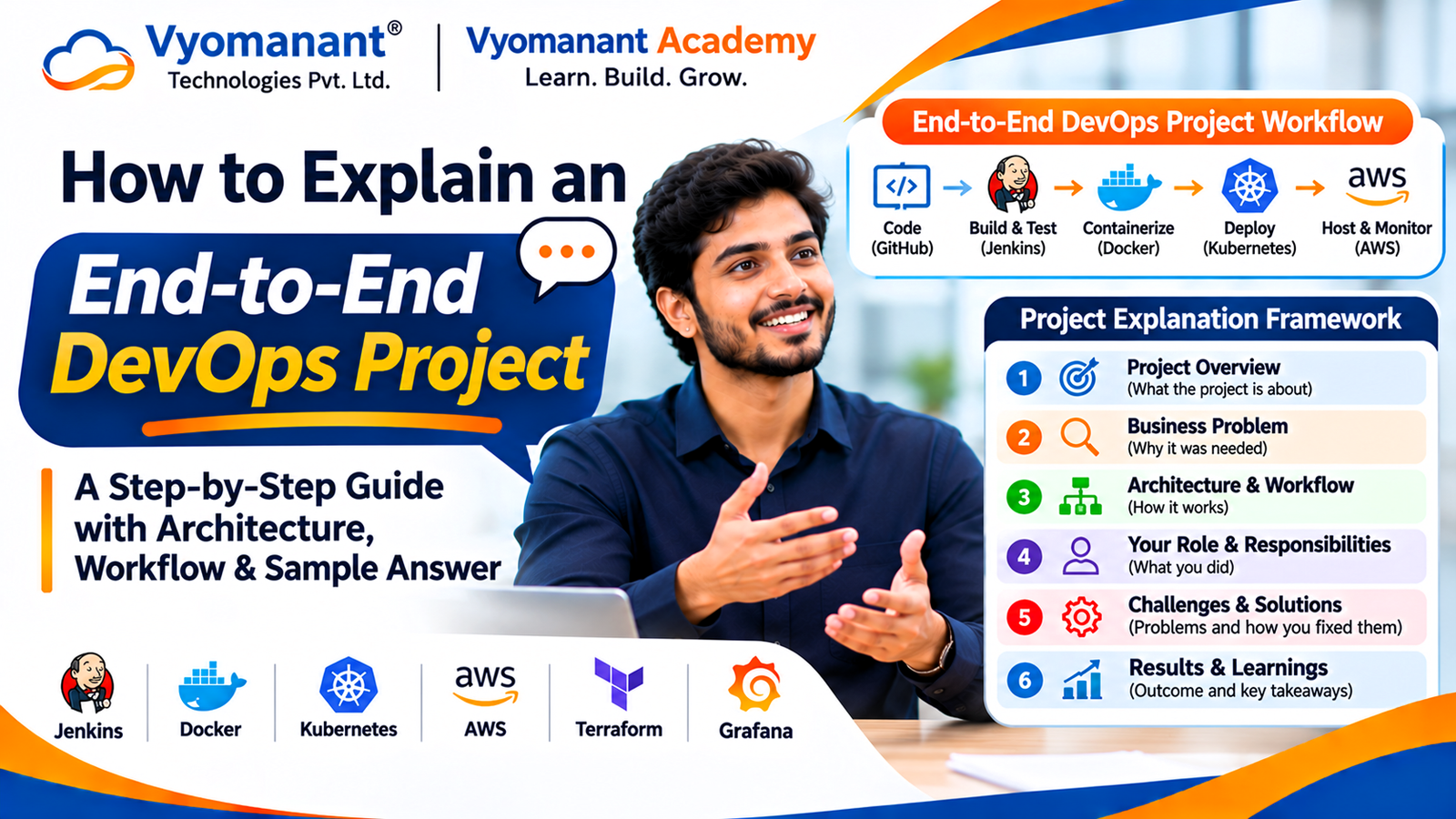
How to Explain an End-to-End DevOps Project in IT Interviews
Learn how to explain an end-to-end DevOps project in interviews, including CI/CD, Git, Jenkins, Docker, Kubernetes, AWS, Terraform, monitoring, real-world workflows, and sample answers.
Vyomanant Academy
Build these skills hands-on
Explore structured, practical technology programs from Vyomanant Academy.
Explore CoursesOn this page
Introduction
"Can you explain your end-to-end DevOps project?" is one of the most important questions in DevOps technical interviews.
Interviewers ask this question to understand whether you can explain how an application moves from source code to a running production environment.
Many candidates mention technologies such as Git, Jenkins, Docker, Kubernetes, AWS, Terraform, and Prometheus, but struggle to explain how these tools work together.
A strong project explanation should cover:
- Project Objective: What problem does the project solve?
- Architecture: How are the components connected?
- CI/CD Workflow: How does code move from development to deployment?
- Your Responsibilities: What did you personally implement or maintain?
- Troubleshooting: How did you handle technical issues?
- Results: What improvements did the project deliver?
In this guide, we will use a sample web application deployment project to demonstrate how to explain an end-to-end DevOps workflow clearly and confidently.
Important: This is an illustrative project. Adapt the tools, responsibilities, architecture, and results to match your actual experience.
What Is an End-to-End DevOps Project?
An end-to-end DevOps project demonstrates how software development, automated testing, infrastructure management, deployment, and monitoring work together.
The goal is to create a repeatable, reliable, and manageable application delivery process.
For example, consider an e-commerce web application.
Developers regularly update features such as:
- Product listings.
- User authentication.
- Shopping cart functionality.
- Order management.
- Payment integrations.
Instead of manually building and deploying every update, the team uses a CI/CD pipeline to automate important delivery activities.
Example Technology Stack
| Technology | Purpose |
|---|---|
| Git & GitHub | Source code management |
| Jenkins | CI/CD pipeline automation |
| Maven | Java application build and testing |
| SonarQube | Static code quality analysis |
| Docker | Application containerization |
| Amazon ECR | Docker image registry |
| Terraform | Infrastructure provisioning |
| AWS EKS | Managed Kubernetes environment |
| Helm | Kubernetes application packaging |
| Prometheus | Metrics collection and monitoring |
| Grafana | Monitoring dashboards |
Key Point: You do not need to use every available DevOps tool. Explain the technologies actually used in your project and why they were required.
End-to-End DevOps Project Architecture
Project: Automated Deployment of a Java Web Application on AWS EKS
Objective: Automate application building, testing, containerization, deployment, and monitoring.
High-Level Architecture
                 DEVELOPER
                     |
                     v
                  GitHub
                     |
               Webhook Trigger
                     |
                     v
                  Jenkins
                     |
          +----------+----------+
          |                     |
          v                     v
      Maven Build          Unit Testing
          |                     |
          +----------+----------+
                     |
                     v
                SonarQube
             Code Quality Check
                     |
                     v
               Docker Build
                     |
                     v
                Amazon ECR
              Container Registry
                     |
                     v
               Deployment Stage
                     |
                     v
                  AWS EKS
               Kubernetes Cluster
                     |
                     v
              Application Pods
                     |
                     v
             Kubernetes Service
                     |
                     v
             Application Access


       Infrastructure Provisioning
                 Terraform
                     |
                     v
             AWS Infrastructure
                VPC / EKS


          Monitoring & Visibility
          Prometheus + Grafana
                     |
                     v
         Application & Cluster Metrics
Note: This is a simplified architecture. In a real project, the pipeline also requires appropriate credentials, access controls, network configuration, deployment validation, and security checks.
Explain the Architecture in Simple Words
"Developers push application code to GitHub, which triggers a Jenkins CI/CD pipeline.
Jenkins uses Maven to build and test the application, followed by SonarQube for code quality analysis.
After the required checks pass, Jenkins creates a Docker image and pushes it to Amazon ECR.
The deployment stage updates the application running on AWS EKS, using Kubernetes manifests or Helm charts.
We use Terraform to provision the required AWS infrastructure and Prometheus and Grafana to monitor application and cluster metrics."
This explanation gives the interviewer a clear understanding of the entire workflow before discussing individual components.
The Best Six-Step Framework to Explain Your DevOps Project
Use this structure:
Overview → Business Problem → Architecture → Your Role → Challenges → Results
Step 1: Explain the Project Overview
Start with the application's purpose and deployment environment.
Example:
"I worked on an end-to-end DevOps automation project for a Java-based web application deployed on AWS EKS.
The objective was to automate application builds, testing, container image creation, and Kubernetes deployments using a CI/CD pipeline."
Keep the overview within two or three sentences.
Step 2: Explain the Business Problem
Describe why automation was required.
Example:
"Previously, application releases involved manual build and deployment activities. This increased the time required for releases and introduced the possibility of configuration mistakes.
Our goal was to establish a standardized CI/CD process to improve deployment consistency and reduce repetitive manual work."
Step 3: Explain the Architecture
Describe how the technologies connect.
Example:
"Our pipeline integrated GitHub, Jenkins, Maven, SonarQube, Docker, Amazon ECR, and AWS EKS.
Terraform was used for infrastructure provisioning, while Prometheus and Grafana provided monitoring visibility."
Avoid explaining every command during the initial overview.
Step 4: Explain Your Responsibilities
Clearly identify your individual contributions.
Example:
"My responsibilities included maintaining Jenkins pipelines, configuring Docker builds, managing container image versions, updating Helm deployment configurations, and troubleshooting pipeline failures."
Only mention responsibilities you actually performed.
Step 5: Explain Technical Challenges
Describe one meaningful problem you encountered.
Example:
"During one deployment, Kubernetes Pods entered an ImagePullBackOff state.
I reviewed the Pod events and identified an image retrieval issue. After checking the image reference and ECR access configuration, we corrected the problem and redeployed the application."
Step 6: Explain the Project Results
Conclude with the value delivered.
Example:
"The automated workflow reduced repetitive deployment activities, improved build consistency, and provided better visibility into application health."
If you have verified measurements, include them. Do not invent deployment statistics.
Understand It Through a Simple Real-Life Analogy
A DevOps Pipeline Is Like an Automated Car Manufacturing Factory
Imagine a factory that manufactures cars.
Each stage has a specific responsibility.
| Car Manufacturing | DevOps Pipeline |
|---|---|
| Engineering designs | Application source code |
| Production instructions | Git repository |
| Assembly line | Jenkins pipeline |
| Quality inspection | Automated tests and code analysis |
| Packaging and preparation | Docker image creation |
| Warehouse | Container registry |
| Vehicle delivery | Application deployment |
| Vehicle performance checks | Application monitoring |
The factory does not send a car to customers immediately after assembly. It performs required checks before delivery.
Similarly, a DevOps pipeline should validate application changes before deploying them.
The Lesson: DevOps connects multiple stages into a coordinated process that supports consistent, repeatable, and reliable software delivery.
Step-by-Step Explanation of the Complete DevOps Workflow
Now let us understand how each stage works.
Step 1: Source Code Management Using Git and GitHub
Developers write application code and maintain it in a GitHub repository.
Git provides version control, allowing teams to track changes and collaborate.
Example Workflow:
- A developer creates or updates application code.
- Changes are committed to Git.
- The developer pushes the changes to GitHub.
- A configured webhook notifies Jenkins.
- Jenkins starts the appropriate pipeline.
Interview Explanation:
"We used Git for version control and GitHub for repository hosting and collaboration. A configured webhook triggered Jenkins when relevant code changes were pushed."
Key Point: Git manages code history, while GitHub hosts repositories and supports collaboration workflows.
Step 2: Continuous Integration Using Jenkins
Jenkins automates build, testing, and other pipeline activities.
The pipeline is defined using a Jenkinsfile, which describes the required stages.
A typical pipeline may include:
Checkout
   |
   v
Build
   |
   v
Unit Tests
   |
   v
Code Quality Analysis
   |
   v
Docker Build
   |
   v
Push Image
   |
   v
Deploy
   |
   v
Verify
Interview Explanation:
"We used Jenkins as our CI/CD automation tool. The Jenkinsfile defined stages for source code checkout, Maven build, automated tests, code quality analysis, Docker image creation, and Kubernetes deployment."
Important: Production pipelines should use securely managed credentials and appropriate approval or deployment controls.
Step 3: Application Build and Testing Using Maven
For this example, the application is developed using Java.
Apache Maven manages dependencies, builds the application, and runs configured tests.
Example Command:
mvn clean verify
This command runs the Maven lifecycle through the verify phase, including applicable build and test activities.
Interview Explanation:
"Jenkins used Maven to compile, test, and package the Java application. If a required build or test stage failed, the pipeline stopped before the application could proceed to deployment."
Key Point: Automated testing helps identify problems earlier in the delivery process.
Step 4: Code Quality Analysis Using SonarQube
SonarQube performs static analysis to identify code quality issues and supported security-related findings.
It can help teams review:
- Bugs and reliability concerns.
- Maintainability issues.
- Security-related findings.
- Code duplication.
- Quality gate conditions.
Interview Explanation:
"We integrated SonarQube into the Jenkins pipeline to analyze code quality. The pipeline checked the configured quality gate before allowing the build to proceed."
Important: Static code analysis supports code quality and security practices, but does not replace testing, dependency scanning, or other security controls.
Step 5: Application Containerization Using Docker
After successful validation, the application is packaged into a Docker image.
Docker helps package the application with the required runtime and dependencies.
Example Dockerfile
FROM eclipse-temurin:17-jre

WORKDIR /app

COPY target/app.jar app.jar

EXPOSE 8080

ENTRYPOINT ["java", "-jar", "app.jar"]
This example assumes the Maven build produces target/app.jar and that the application uses port 8080.
Example Commands
docker build -t my-java-app:1.0 .
docker run -d -p 8080:8080 my-java-app:1.0
Interview Explanation:
"We used Docker to containerize the Java application. The Dockerfile defined the runtime environment, and Jenkins built a versioned container image after the required checks passed."
Key Point: Containerization helps maintain a consistent application runtime across supported environments.
Step 6: Store Docker Images in Amazon ECR
Amazon Elastic Container Registry (ECR) stores container images.
After building the image, Jenkins authenticates to ECR and pushes the required image version.
Simplified Workflow:
Docker Build
     |
     v
Image Tagging
     |
     v
ECR Authentication
     |
     v
Docker Push
     |
     v
Image Available in ECR
Interview Explanation:
"We used Amazon ECR as our private container registry. Jenkins tagged the Docker image and pushed it to ECR so that our Kubernetes deployment could reference the required image."
Pro Tip: Explain how you identify image versions, such as Git commit identifiers or build numbers, rather than relying only on the latest tag.
Step 7: Infrastructure Provisioning Using Terraform
Terraform is an Infrastructure as Code tool used to define and manage infrastructure through configuration files.
In this example, Terraform manages resources such as:
- AWS VPC and subnets.
- Networking components.
- IAM roles and policies.
- EKS cluster infrastructure.
- Supporting AWS resources.
Typical Terraform Workflow
terraform init
terraform plan
terraform apply
What These Commands Do:
- terraform init: Initializes the working directory and required providers.
- terraform plan: Previews proposed infrastructure changes.
- terraform apply: Applies the approved infrastructure changes.
Interview Explanation:
"We used Terraform to provision AWS infrastructure, including the networking and EKS resources required for application deployment. This helped maintain infrastructure definitions through version-controlled configuration."
Important: Infrastructure changes should be reviewed before applying them, especially in shared or production environments.
Step 8: Application Deployment Using Kubernetes
The application is deployed to Amazon EKS, which provides a managed Kubernetes control plane.
Kubernetes manages containerized workloads through resources such as:
- Pods: Run application containers.
- Deployments: Manage application replicas and updates.
- Services: Provide stable network access to Pods.
- ConfigMaps: Store non-sensitive application configuration.
- Secrets: Store sensitive configuration data, subject to appropriate security controls.
Example Kubernetes Deployment
apiVersion: apps/v1
kind: Deployment
metadata:
  name: java-app
spec:
  replicas: 2
  selector:
    matchLabels:
      app: java-app
  template:
    metadata:
      labels:
        app: java-app
    spec:
      containers:
        - name: java-app
          image: ACCOUNT_ID.dkr.ecr.REGION.amazonaws.com/java-app:1.0
          ports:
            - containerPort: 8080
The image reference is illustrative and must be replaced with an actual ECR repository and image version.
Interview Explanation:
"We deployed the application to AWS EKS using Kubernetes Deployments and Services. Kubernetes managed the application replicas and supported rolling updates during releases."
Key Point: Kubernetes helps manage application workloads, scaling, and updates, but reliability also depends on correct resource configuration and infrastructure design.
Step 9: Application Deployment Using Helm
Helm simplifies Kubernetes application packaging and configuration management.
A Helm chart can contain:
- Deployment templates.
- Service templates.
- Configurable values.
- Application metadata.
Example Helm Command
helm upgrade --install java-app ./java-app-chart \
  --namespace production \
  --create-namespace \
  --set image.tag=1.0
This assumes a valid Helm chart exists and is configured to use the supplied image tag.
Interview Explanation:
"We used Helm charts to manage Kubernetes deployment configurations. Jenkins updated the application release using the appropriate image version and environment-specific values."
Pro Tip: Be prepared to explain how Helm values differ between development, staging, and production environments.
Step 10: Monitoring Using Prometheus and Grafana
After deployment, the application and infrastructure must be monitored.
Prometheus collects and stores supported metrics.
Grafana provides dashboards for visualizing those metrics.
Common monitoring areas include:
- CPU and memory utilization.
- Application request rates.
- Error rates and response times.
- Pod and node health.
- Infrastructure resource usage.
Monitoring Workflow
Application / Kubernetes Metrics
              |
              v
          Prometheus
              |
              v
            Grafana
              |
              v
       Monitoring Dashboards
Interview Explanation:
"We used Prometheus to collect application and Kubernetes metrics, and Grafana to visualize system health and performance. These dashboards helped the team identify operational issues and investigate resource utilization."
Important: Monitoring should be supported by appropriate alerts, incident response procedures, and application logging.
Complete Sample Answer: Explain Your End-to-End DevOps Project
Target Role: DevOps Engineer
Sample Interview Answer:
"I worked on an end-to-end DevOps automation project for a Java-based web application deployed on AWS EKS.
The main objective was to automate application builds, testing, containerization, and deployment while reducing manual release activities.
We used GitHub for source code management, Jenkins for CI/CD automation, Maven for building and testing, and SonarQube for code quality analysis.
Whenever developers pushed changes to the configured branch, Jenkins triggered the pipeline and performed the required build and validation stages.
After successful checks, Jenkins built a Docker image, tagged it with the required version, and pushed it to Amazon ECR.
The application was deployed to AWS EKS using Kubernetes and Helm, while Terraform was used to provision and maintain the underlying AWS infrastructure.
We also used Prometheus and Grafana to monitor application and cluster health.
My primary responsibilities included maintaining Jenkins pipelines, supporting Docker image builds, updating Helm configurations, troubleshooting deployment failures, and validating application releases.
One issue I handled involved an ImagePullBackOff error in Kubernetes. I investigated the Pod events and image configuration, identified the cause, and helped correct the deployment.
Overall, the project improved deployment consistency, reduced repetitive manual activities, and provided better monitoring visibility."
Why This Answer Works
- Explains the project objective.
- Covers the complete CI/CD workflow.
- Connects technologies to their purposes.
- Highlights individual responsibilities.
- Includes a realistic technical challenge.
- Ends with the project outcome.
Interview Tip: Use this as a structure, not a script. Replace every tool, task, and achievement with your genuine project experience.
Real-World Troubleshooting Scenarios
Interviewers frequently ask about issues you encountered while working on your project.
Scenario 1: Jenkins Pipeline Fails During Maven Build
Problem: The Maven build stage fails.
Troubleshooting Approach:
- Review the Jenkins console output.
- Identify the Maven error.
- Check dependency resolution and build configuration.
- Review recent application changes.
- Correct the identified issue.
- Rerun the required validation stages.
Interview Answer:
"I reviewed the Jenkins console logs, identified the failed Maven stage, investigated the build configuration, and verified the fix by rerunning the pipeline."
Scenario 2: Docker Image Build Failure
Problem: Docker cannot build the application image.
Possible Causes:
- Incorrect Dockerfile instructions.
- Missing application artifacts.
- Incorrect build context.
- Dependency or network issues.
Interview Answer:
"I checked the Docker build output and verified the Dockerfile, application artifact path, and build context. After identifying the configuration issue, I corrected it and rebuilt the image."
Scenario 3: Kubernetes ImagePullBackOff
Problem: Kubernetes cannot retrieve the required container image.
Useful Commands:
kubectl get pods
kubectl describe pod <pod-name>
kubectl get events --sort-by=.metadata.creationTimestamp
Possible Causes:
- Incorrect image name or tag.
- Missing image in the registry.
- Registry authentication problems.
- Network connectivity issues.
Interview Answer:
"I checked the Pod events and identified that Kubernetes could not pull the container image. I verified the ECR image reference, tag, and registry access configuration before redeploying."
Scenario 4: Application Is Not Accessible
Problem: Pods are running, but users cannot access the application.
Troubleshooting Approach:
- Check Pod readiness.
- Verify Kubernetes Service configuration.
- Check Service selectors and endpoints.
- Review application listening ports.
- Check ingress, load balancer, and network configuration.
- Review application logs.
Interview Answer:
"I verified the Pod readiness, Kubernetes Service configuration, application port, and network access path to identify where connectivity was failing."
How to Explain Your Roles and Responsibilities
Interviewers may ask:
"What exactly was your contribution to this DevOps project?"
Use specific responsibility statements.
| Technology | Example Responsibility |
|---|---|
| GitHub | Supported source code integration and repository workflows |
| Jenkins | Maintained and troubleshot CI/CD pipelines |
| Maven | Supported build and test automation |
| SonarQube | Reviewed code quality analysis results |
| Docker | Created or maintained Dockerfiles and image builds |
| Amazon ECR | Supported container image tagging and storage |
| Terraform | Maintained infrastructure provisioning configurations |
| Kubernetes | Supported deployments and Pod troubleshooting |
| Helm | Updated application deployment configurations |
| Prometheus & Grafana | Reviewed metrics and monitoring dashboards |
Strong Sample Answer
"My primary responsibilities were maintaining Jenkins CI/CD pipelines, supporting Docker image creation, managing Helm deployment configurations, and troubleshooting Kubernetes deployment issues.
I also collaborated with developers to resolve build failures and verified application health after deployments."
Key Point: Clearly distinguish between what you personally implemented, what you maintained, and what the wider team managed.
Common Mistakes When Explaining a DevOps Project
| Common Mistake | Better Approach |
|---|---|
| Listing every DevOps tool | Explain how the tools connect |
| Starting with detailed commands | Begin with the project objective |
| Claiming complete ownership | Clearly identify individual contributions |
| Ignoring the business problem | Explain why automation was needed |
| Explaining only the CI pipeline | Include deployment and monitoring |
| Giving vague troubleshooting examples | Describe the investigation and solution |
| Inventing project results | Mention only genuine improvements |
Weak Answer vs Strong Answer
Weak Answer:
"My project used Git, Jenkins, Docker, Kubernetes, Terraform, AWS, Prometheus, Grafana, and many other tools."
Strong Answer:
"My project focused on automating the deployment of a Java web application to AWS EKS. We used Jenkins to automate builds and tests, Docker to package the application, ECR to store images, and Kubernetes to manage deployments. My main responsibility was maintaining the pipeline and troubleshooting deployment issues."
Why Is the Second Answer Better?
It explains the project purpose, technical workflow, and individual contribution instead of presenting an unrelated list of tools.
How Long Should You Explain Your DevOps Project?
For the initial explanation, aim for approximately 2–3 minutes.
| Section | Suggested Time |
|---|---|
| Project Overview | 15–20 seconds |
| Business Problem | 15–20 seconds |
| Architecture and CI/CD Workflow | 45–60 seconds |
| Your Responsibilities | 25–35 seconds |
| Technical Challenge | 20–30 seconds |
| Project Results | 10–15 seconds |
These timings are flexible.
Pro Tip: Give the interviewer a clear overview first. Expand into Jenkinsfiles, Dockerfiles, Kubernetes manifests, Terraform modules, and troubleshooting details when asked.
Important Follow-Up Questions to Prepare
1. What Happens When a Developer Pushes Code?
"A configured GitHub webhook triggers Jenkins. The pipeline checks out the code, builds and tests the application, performs code quality checks, creates a Docker image, pushes it to ECR, and deploys the approved version to Kubernetes."
2. Why Did You Use Docker?
"We used Docker to package the application and its runtime dependencies into a consistent container image that could be deployed across supported environments."
3. Why Did You Use Kubernetes?
"We used Kubernetes to manage containerized application workloads, including replicas, rolling updates, service discovery, and application recovery."
4. What Is Terraform's Role in Your Project?
"Terraform was used to define and provision AWS infrastructure through version-controlled configuration, reducing the need for repetitive manual resource creation."
5. How Do You Handle Failed Deployments?
"I review pipeline and deployment logs, identify the failed component, assess the impact, and follow the appropriate recovery or rollback procedure. After correcting the issue, I validate the application before considering the deployment successful."
6. How Do You Monitor the Application?
"We use Prometheus to collect supported metrics and Grafana to visualize application and infrastructure health. We review relevant dashboards and alerts to investigate performance or availability issues."
How to Prepare Your End-to-End DevOps Project Explanation
Follow this checklist before your interview.
- Understand the Business Requirement: Know why the project was implemented.
- Review the Architecture: Understand how every major component connects.
- Explain the CI/CD Flow: Be able to describe the process from Git commit to deployment.
- Know Your Tools: Understand why each technology was selected.
- Identify Your Responsibilities: Clearly explain what you personally worked on.
- Prepare Two Troubleshooting Examples: Include the issue, investigation, solution, and result.
- Understand Security and Monitoring: Know how credentials, access, logs, metrics, and alerts are managed.
- Practice the Explanation: Present the project naturally within a few minutes.
Interview Preparation Tip: Be ready to draw a simple architecture diagram on paper or a whiteboard. A clear diagram can make a complex workflow much easier to explain.
Frequently Asked Questions
1. Can Freshers Explain an End-to-End DevOps Project?
Yes. Freshers can explain personal projects, academic projects, internships, or hands-on labs. Clearly identify them as learning projects rather than professional production experience.
2. Do I Need to Know Every DevOps Tool?
No. Focus on the tools relevant to your project and target job. Depth of understanding is more valuable than an unnecessarily large technology list.
3. Should I Explain the Jenkinsfile During the Initial Answer?
Not in full detail. Explain the major pipeline stages first and discuss the Jenkinsfile when the interviewer requests implementation details.
4. What If I Worked on Only One Part of the Project?
Explain the overall architecture briefly, then focus on your actual responsibilities and contributions.
5. What Is the Most Important Part of a DevOps Project Explanation?
The most important elements are understanding the workflow, explaining technology integration, demonstrating genuine contributions, and discussing practical troubleshooting.
Key Takeaways
- Use Overview → Business Problem → Architecture → Your Role → Challenges → Results.
- Explain the complete workflow from GitHub to Jenkins, Docker, ECR, Kubernetes, and monitoring.
- Understand how Terraform supports infrastructure provisioning.
- Connect each technology to its practical purpose.
- Highlight your individual responsibilities and real troubleshooting experience.
- Keep your initial explanation clear, structured, and approximately 2–3 minutes.
- Prepare for technical follow-up questions about CI/CD, Docker, Kubernetes, AWS, Terraform, security, and monitoring.
Final Reminder: A strong end-to-end DevOps project explanation is not about mentioning the maximum number of tools. It is about showing how the entire system works, what you contributed, how you solved problems, and what value the project delivered.
What Should You Learn Next?
Continue strengthening your DevOps interview preparation:
- How to Explain a CI/CD Pipeline Project
- How to Explain a Docker Containerization Project
- How to Explain a Kubernetes Deployment Project
Continue Learning with Vyomanant Academy
Understanding an end-to-end DevOps project requires both technical knowledge and hands-on practice.
Vyomanant Academy provides practical, industry-focused learning in Cloud Computing, DevOps, Linux, Docker, Kubernetes, Terraform, Infrastructure Automation, and AI technologies.
Build practical projects, understand real-world deployment workflows, and prepare confidently for DevOps engineering interviews.
Learn. Build. Grow.
Explore Programs: https://academy.vyomanant.com/
CONTINUE EXPLORING
Recommended next

What Is Artificial Intelligence? A Simple Beginner's Guide
Learn what Artificial Intelligence (AI) means, how it works, and where we use it in everyday life, with simple examples that anyone can understand.
View resource
What Is Machine Learning? A Simple Beginner's Guide
Discover what Machine Learning is, how computers learn from data, and how predictions work. Explore key ML concepts, learning types, and real-world examples in this beginner-friendly guide.
View resource
What Is Information Technology? A Beginner's Guide
Discover what Information Technology (IT) is, how it works, its main components, everyday applications, and how beginners can start learning IT.
View resource