
RESOURCES
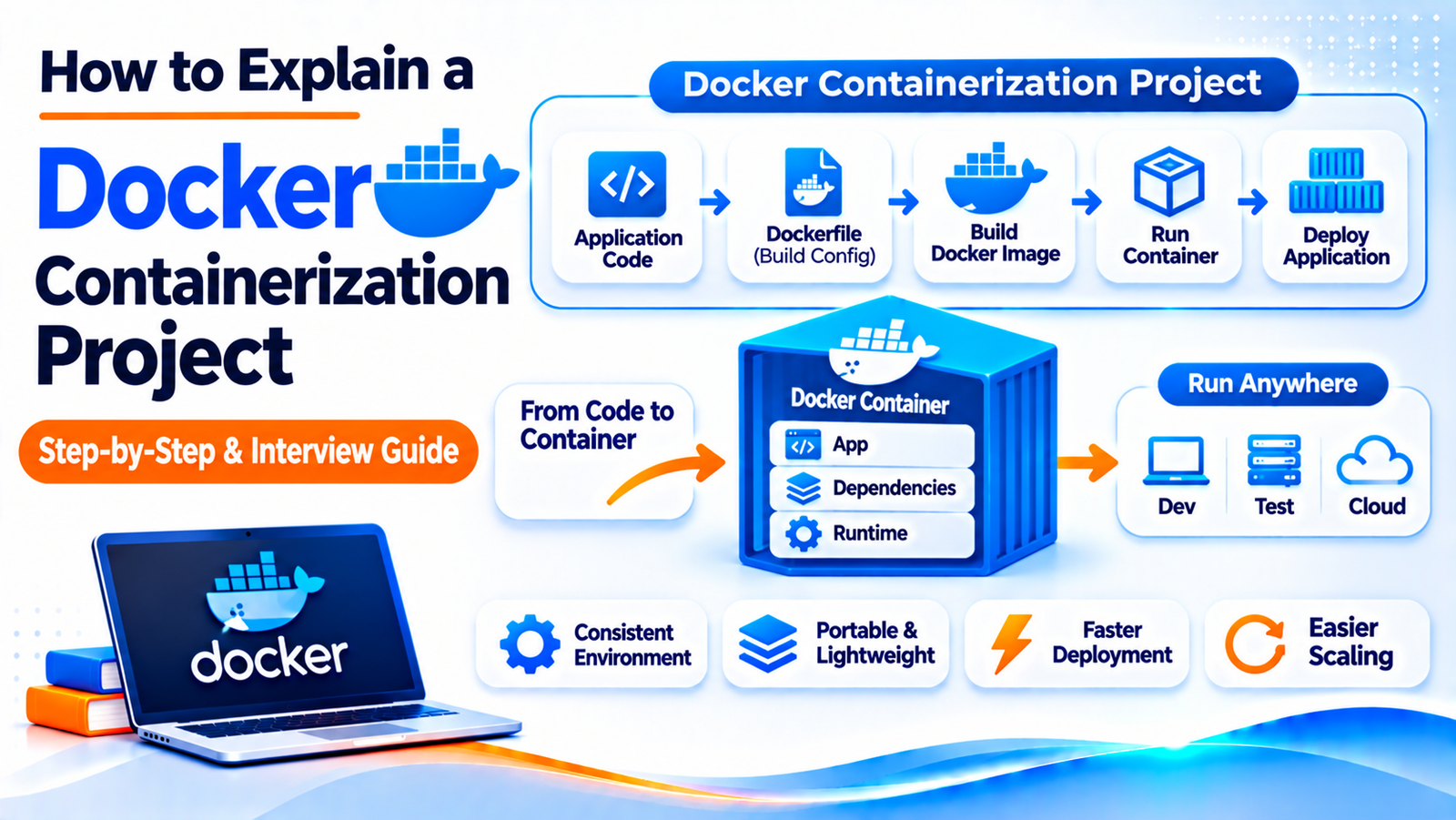
How to Explain a Docker Containerization Project: Step-by-Step Guide with Examples & Interview Questions
Learn how to explain a Docker containerization project with Dockerfiles, images, containers, Docker Compose, deployment, troubleshooting, and interview examples.
Vyomanant Academy
Build these skills hands-on
Explore structured, practical technology programs from Vyomanant Academy.
Explore CoursesOn this page
How to Explain a Docker Containerization Project: Step-by-Step Guide
Introduction
Imagine you are attending a DevOps or cloud engineering interview.
The interviewer asks:
"Can you explain a Docker containerization project you have worked on?"
You know how to run docker build, docker run, and docker ps. You understand that Docker packages applications into containers.
But explaining a complete Docker project requires more than remembering commands.
You should be able to explain:
- What application you containerized.
- Why containerization was needed.
- How you created the Dockerfile.
- How you managed application dependencies.
- How containers communicated.
- How you handled configuration and persistent data.
- How you tested, deployed, and troubleshot the application.
- What you personally implemented and learned.
This guide uses a practical Python Flask application with a PostgreSQL database to demonstrate a Docker containerization project from beginning to end.
It also includes architecture diagrams, sample configurations, Docker commands, common problems, and an interview-ready project explanation.
Important: The project in this article is an educational example. In interviews, describe only the technologies, responsibilities, and outcomes you genuinely worked with.
1. What Is a Docker Containerization Project?
A Docker containerization project involves packaging an application and its runtime dependencies into a container image so it can run consistently across compatible environments.
Docker provides tools to build images, create containers, manage networks, and work with persistent storage.
Simple Definition
A Docker containerization project demonstrates how an application is packaged, configured, executed, connected to dependencies, and prepared for deployment using containers.
A complete project usually covers:
- Application Analysis: Understanding runtime requirements and dependencies.
- Dockerfile Creation: Defining how the application image is built.
- Image Building: Packaging the application.
- Container Execution: Running the image.
- Networking: Connecting containers to each other.
- Configuration: Supplying environment-specific settings.
- Persistent Storage: Preserving important data beyond container replacement.
- Testing: Verifying the application works.
- Troubleshooting: Investigating runtime problems.
- Image Publishing: Making approved images available for deployment.
Not every project needs multiple containers or a database. The correct design depends on the application.
2. Understand the Project Requirement
Before explaining Docker commands, introduce the application and the problem being solved.
Example Project: Containerizing a Task Management Application
Imagine a simple task management application.
Users can create tasks and view saved tasks.
The application has two main components:
- Python Flask Backend: Provides REST API endpoints.
- PostgreSQL Database: Stores task records.
The Problem
Without a standardized environment, developers may encounter differences in:
- Python versions.
- Installed libraries.
- Database configuration.
- Operating system packages.
- Application startup procedures.
These differences can make setup and deployment more difficult.
The Objective
Our project aims to:
- Package the Flask backend into a Docker image.
- Run PostgreSQL in a separate container.
- Connect the application and database through a Docker network.
- Store database files in persistent storage.
- Start both services with Docker Compose.
- Verify application functionality.
- Prepare the image for reuse in other environments.
Example Technology Stack
| Component | Technology | Purpose |
|---|---|---|
| Application | Python and Flask | Backend API |
| Database | PostgreSQL | Persistent task storage |
| Container Platform | Docker | Build and run containers |
| Image Definition | Dockerfile | Define the application image |
| Multi-Container Management | Docker Compose | Configure and run services |
| Container Networking | Docker bridge network | Connect application and database |
| Persistent Storage | Docker named volume | Preserve database data |
| Testing | curl | Verify API behavior |
| Source Control | Git | Track application and configuration changes |
Key Point: Start with the application and the reason for containerization. Then explain how Docker solves the packaging and environment-management problems.
3. Explain the Docker Project Architecture
A good project explanation begins with a simple architecture diagram.
Docker Containerization Architecture
                  API Client
                      |
                      | HTTP Request
                      v
               Host Port 5000
                      |
                      v
             +------------------+
             | Flask Container  |
             |------------------|
             | Python Runtime   |
             | Flask Application|
             | PostgreSQL Driver|
             +------------------+
                      |
                      | Docker Network
                      v
             +------------------+
             | PostgreSQL       |
             | Container        |
             +------------------+
                      |
                      v
             +------------------+
             | Docker Volume    |
             | Persistent Data  |
             +------------------+
How the Architecture Works
The Flask application runs inside one container.
PostgreSQL runs inside another container.
Both services communicate through a Docker-managed network.
The Flask application connects to PostgreSQL using the database service name as the hostname.
A named Docker volume stores PostgreSQL data outside the container's writable layer.
Why Separate the Application and Database?
Separating the components allows them to:
- Use different runtime environments.
- Be updated independently.
- Have distinct configuration settings.
- Maintain separate operational responsibilities.
However, separating containers does not automatically provide high availability or independent scaling.
Those capabilities require additional infrastructure and design.
Interview Explanation
"The project used two containers: one for the Flask backend and another for PostgreSQL. Docker Compose managed the services and created the network that allowed them to communicate. We used a named volume to preserve database data when the database container was replaced."
4. Step 1: Prepare the Application Structure
A clear repository structure makes the project easier to maintain and explain.
Example Directory Structure
docker-task-project/
|
+-- app/
|   +-- app.py
|   +-- requirements.txt
|   +-- Dockerfile
|   +-- .dockerignore
|
+-- compose.yaml
+-- .env.example
+-- .gitignore
+-- README.md
What Each File Does
| File | Purpose |
|---|---|
app.py |
Contains the Flask API |
requirements.txt |
Lists Python dependencies |
Dockerfile |
Defines how the application image is built |
.dockerignore |
Excludes unnecessary files from the build context |
compose.yaml |
Defines the application and database services |
.env.example |
Documents required configuration values |
.gitignore |
Prevents selected local files from entering Git |
README.md |
Explains setup, usage, and troubleshooting |
Why Is This Structure Useful?
The repository separates application code, image configuration, and multi-container configuration.
It also makes it easier for another developer to understand how the project works.
5. Step 2: Create the Sample Flask Application
Let's create a minimal backend that connects to PostgreSQL.
The application will expose three endpoints:
GET /health— Check basic application availability.GET /tasks— Retrieve saved tasks.POST /tasks— Create a task.
Example app.py
import os

import psycopg
from flask import Flask, jsonify, request

app = Flask(__name__)


def get_connection():
    return psycopg.connect(
        host=os.environ["DB_HOST"],
        dbname=os.environ["DB_NAME"],
        user=os.environ["DB_USER"],
        password=os.environ["DB_PASSWORD"],
    )


@app.get("/health")
def health():
    return jsonify({"status": "ok"})


@app.get("/tasks")
def list_tasks():
    with get_connection() as conn:
        with conn.cursor() as cursor:
            cursor.execute(
                "SELECT id, title FROM tasks ORDER BY id"
            )
            rows = cursor.fetchall()

    return jsonify([
        {"id": row[0], "title": row[1]}
        for row in rows
    ])


@app.post("/tasks")
def create_task():
    data = request.get_json(silent=True) or {}
    title = data.get("title")

    if not isinstance(title, str) or not title.strip():
        return jsonify({"error": "Title is required"}), 400

    with get_connection() as conn:
        with conn.cursor() as cursor:
            cursor.execute(
                "INSERT INTO tasks (title) "
                "VALUES (%s) RETURNING id",
                (title.strip(),),
            )
            task_id = cursor.fetchone()[0]

    return jsonify({
        "id": task_id,
        "title": title.strip(),
    }), 201
This example uses parameterized SQL queries to avoid inserting user-provided values directly into SQL statements.
Database Initialization
For a minimal demonstration, we can initialize the table with a command after the database starts.
CREATE TABLE IF NOT EXISTS tasks (
    id SERIAL PRIMARY KEY,
    title TEXT NOT NULL
);
A more complete application would use a versioned database migration tool.
Python Dependencies
Create app/requirements.txt:
Flask>=3.0,<4.0
gunicorn>=22.0,<24.0
psycopg[binary]>=3.2,<4.0
For a reproducible deployment, resolve and lock the exact dependency versions.
What Should You Explain?
Explain that the application reads database connection settings from environment variables rather than embedding them in the source code.
This allows the same application image to be configured for different environments.
Key Point: The application code should not need to change simply because the database hostname or credentials change.
6. Step 3: Write the Dockerfile
A Dockerfile is a text file containing instructions for building a container image.
Example Dockerfile
Create app/Dockerfile:
FROM python:3.12-slim

WORKDIR /app

COPY requirements.txt .

RUN pip install --no-cache-dir -r requirements.txt

COPY app.py .

RUN useradd --create-home appuser

USER appuser

EXPOSE 5000

CMD [
  "gunicorn",
  "--bind",
  "0.0.0.0:5000",
  "app:app"
]
Explain Each Instruction
| Instruction | Purpose |
|---|---|
FROM |
Selects the base image |
WORKDIR |
Sets the working directory |
COPY |
Copies required files into the image |
RUN |
Executes build-time commands |
USER |
Sets the runtime user |
EXPOSE |
Documents the application port |
CMD |
Defines the default container command |
Why Use python:3.12-slim?
A slim Python base image includes the Python runtime with fewer additional operating system packages than some larger variants.
This may help reduce image size and unnecessary components.
It does not guarantee that the image is vulnerability-free.
Why Copy Dependencies Before Application Code?
Notice this order:
COPY requirements.txt .

RUN pip install --no-cache-dir -r requirements.txt

COPY app.py .
Docker can reuse cached build layers when their relevant inputs have not changed.
If the application code changes but the dependency file does not, the dependency installation layer may be reused.
Why Run as a Non-Root User?
Running the application as a non-root user can reduce the impact of certain container compromises.
It is one security measure, not a complete security solution.
Why Use Gunicorn?
Gunicorn is a Python WSGI server suitable for serving many Flask applications.
It provides a more appropriate application-serving model than Flask's built-in development server.
The example still requires production-specific tuning and configuration.
Interview Tip: Be able to explain why each Dockerfile instruction exists, not merely recite its syntax.
7. Step 4: Create a .dockerignore File
Docker sends a build context to the builder.
Files that are not needed for image creation should generally be excluded.
Create app/.dockerignore:
__pycache__/
*.pyc
.venv/
.git/
.env
.env.*
*.log
Why Is .dockerignore Important?
It can:
- Reduce unnecessary build-context data.
- Improve build efficiency.
- Prevent selected local files from being copied accidentally.
- Keep the image-building process focused on required files.
However, .dockerignore is not a substitute for proper secret management.
Key Point: Build contexts should contain only the files required to create the image.
8. Step 5: Build the Docker Image
Now build the Flask application image.
From the project root, run:
docker build -t task-api:1.0 ./app
What Happens During the Build?
Docker processes the Dockerfile instructions.
It:
- Retrieves the base image if needed.
- Creates the working directory.
- Copies the dependency file.
- Installs Python dependencies.
- Copies the application code.
- Configures the runtime user.
- Defines the container startup command.
Check the Image
docker image ls
You should see the task-api image if the build succeeds.
Image vs Container
This is an important interview topic.
| Docker Image | Docker Container |
|---|---|
| Packaged application artifact | Running or stopped instance of an image |
| Created by a build or obtained from a registry | Created from an image |
| Used as a template for containers | Has runtime state and configuration |
| Can be tagged and published | Can be started, stopped, and removed |
Simple Analogy
A Docker image is like a prepared application package.
A container is an instance of that package being executed.
The analogy is not exact: containers share the host kernel rather than providing a complete independent operating system.
9. Step 6: Configure Docker Compose
Our project requires two services.
Starting and configuring them separately is possible, but Docker Compose makes the setup easier to reproduce.
Docker Compose is a tool for defining and managing multi-container applications.
Example compose.yaml
Create this file in the project root:
services:
  db:
    image: postgres:17
    environment:
      POSTGRES_DB: ${DB_NAME}
      POSTGRES_USER: ${DB_USER}
      POSTGRES_PASSWORD: ${DB_PASSWORD}
    volumes:
      - postgres_data:/var/lib/postgresql/data
    healthcheck:
      test:
        - CMD-SHELL
        - pg_isready -U "$$POSTGRES_USER" -d "$$POSTGRES_DB"
      interval: 5s
      timeout: 5s
      retries: 10

  api:
    build: ./app
    image: task-api:1.0
    ports:
      - "127.0.0.1:5000:5000"
    environment:
      DB_HOST: db
      DB_NAME: ${DB_NAME}
      DB_USER: ${DB_USER}
      DB_PASSWORD: ${DB_PASSWORD}
    depends_on:
      db:
        condition: service_healthy

volumes:
  postgres_data:
What Does This Configuration Do?
db Service
Runs PostgreSQL using the official PostgreSQL image.
api Service
Builds and runs the Flask backend.
depends_on
Waits for the configured PostgreSQL health check to pass before starting the API container.
This helps with startup ordering but does not guarantee the database will remain available.
ports
Maps the application's container port to the host's loopback interface.
This allows local testing without publishing the application on every host network interface.
volumes
Creates a named volume for PostgreSQL data.
Important PostgreSQL Version Detail
The volume path shown here is appropriate for the PostgreSQL 17 image.
Different major PostgreSQL image versions may use different recommended data-directory layouts. Always verify the image documentation before changing versions.
Configure Environment Variables
Create .env.example:
DB_NAME=tasksdb
DB_USER=taskuser
DB_PASSWORD=replace-with-a-strong-local-password
Copy it to .env:
cp .env.example .env
Replace the example password with a strong local value.
Add .env to .gitignore:
.env
Security Note
A local .env file is convenient for a learning environment.
For production systems, use an appropriate secret-management solution and restrict access to credentials.
Docker Compose environment variables are not an encrypted secret store.
10. Step 7: Start the Multi-Container Application
From the project root, run:
docker compose up -d --build
What Does This Command Do?
- Builds the API image if required.
- Creates the required containers.
- Creates the Compose network.
- Creates the named volume.
- Starts the services in detached mode.
Check the Containers
docker compose ps
Check the Logs
docker compose logs api
For PostgreSQL logs:
docker compose logs db
Initialize the Database Table
For this educational example, create the tasks table after PostgreSQL is healthy:
docker compose exec -T db \
  psql -U taskuser -d tasksdb \
  -c "CREATE TABLE IF NOT EXISTS tasks (
    id SERIAL PRIMARY KEY,
    title TEXT NOT NULL
  );"
The command assumes the example database name and username.
If you changed those values in .env, use the corresponding values in the command.
In a more complete project, automate schema creation through a migration process rather than running SQL manually.
Why Use Detached Mode?
The -d option starts containers in the background.
You can then inspect them using Docker Compose commands.
Interview Tip: Explain how you verified that both services started and that the application could reach the database.
11. Step 8: Understand Docker Networking
Container networking is one of the most important parts of a multi-container project.
How Do the Containers Communicate?
Docker Compose typically creates a network for the project.
Services on that network can communicate using their service names.
In our example:
Flask Container
      |
      | DB_HOST=db
      v
PostgreSQL Container
The hostname db resolves to the database service on the Compose network.
Why Not Use localhost?
Inside the Flask container, localhost refers to the Flask container's own network namespace.
It does not refer to the PostgreSQL container.
Therefore, the application uses:
DB_HOST=db
rather than:
DB_HOST=localhost
Is the Database Port Exposed Publicly?
Not in the provided Compose configuration.
The database service does not publish a host port.
The Flask container can still connect to PostgreSQL over the internal Compose network.
Interview Explanation
"Docker Compose created a network that allowed the application and database containers to communicate. We used the database service name as the hostname, so the application did not need to know the database container's IP address."
Key Point: Service-name networking helps containers find each other even when their individual IP addresses change.
12. Step 9: Understand Docker Volumes
Containers have writable layers, but data stored only in those layers is not a reliable long-term storage strategy.
When a container is removed, its writable layer is removed.
Why Does PostgreSQL Need Persistent Storage?
The database must preserve task records when the container is replaced.
We use a Docker named volume:
volumes:
  - postgres_data:/var/lib/postgresql/data
Storage Architecture
      PostgreSQL Container
               |
               v
         Named Volume
               |
               v
       Persistent Database Files
What Happens When the Container Is Recreated?
The new PostgreSQL container can reuse the existing named volume, preserving its database files when the volume remains intact and the image configuration is compatible.
Important Limitation
A Docker volume is not a backup.
Volumes can be deleted, corrupted, or lost with the host.
Production databases need appropriate backup, recovery, and availability strategies.
Useful Commands
List volumes:
docker volume ls
Stop the project without deleting its named volume:
docker compose down
Warning: Running docker compose down -v also removes Compose-managed volumes and can permanently delete the sample database data.
Interview Tip: Explain the difference between container storage and persistent volumes, including how you would protect important data.
13. Step 10: Test the Containerized Application
After starting the containers and initializing the database, test the API.
Test the Health Endpoint
curl http://localhost:5000/health
Expected response:
{
  "status": "ok"
}
Create a Task
curl -X POST http://localhost:5000/tasks \
  -H "Content-Type: application/json" \
  -d '{"title":"Learn Docker Compose"}'
Example response:
{
  "id": 1,
  "title": "Learn Docker Compose"
}
Retrieve Tasks
curl http://localhost:5000/tasks
Example response:
[
  {
    "id": 1,
    "title": "Learn Docker Compose"
  }
]
Verify Persistence
Stop the application:
docker compose down
Start it again:
docker compose up -d
Retrieve tasks again:
curl http://localhost:5000/tasks
The task should remain available because PostgreSQL data is stored in the named volume.
What Does This Test Demonstrate?
It confirms that:
- The application container starts.
- The database container starts.
- The application connects to the database.
- API requests work.
- Database records survive container recreation when the volume is preserved.
Key Point: A complete containerization project should demonstrate that the application works, not just that Docker commands execute successfully.
14. Step 11: Publish the Docker Image
After testing, the application image can be published to a container registry.
Example Workflow
Application Code
       |
       v
Docker Build
       |
       v
Local Image
       |
       v
Test and Scan
       |
       v
Container Registry
       |
       v
Deployment Environment
Tag the Image
docker tag task-api:1.0 \
  exampleuser/task-api:1.0
Authenticate
docker login
Push the Image
docker push exampleuser/task-api:1.0
Replace exampleuser with a namespace you own.
Why Publish Images?
A registry allows deployment systems to retrieve an approved image without rebuilding it from source code on every server.
Important Practices
- Use meaningful version identifiers.
- Avoid embedding secrets in images.
- Scan images for known vulnerabilities.
- Use trusted base images.
- Prefer immutable image digests for deployment traceability.
- Control registry access.
Interview Tip: Explain how you knew which image version was deployed and how previous versions were retained.
15. Step 12: Explain Docker Deployment
For a basic project, Docker Compose can run the application on a Linux test server.
A typical workflow might be:
- Prepare the server with Docker and the Compose plugin.
- Transfer the approved Compose configuration.
- Configure environment-specific settings securely.
- Retrieve the application image from the registry.
- Start the services.
- Verify the application.
- Review logs and resource usage.
Example Deployment Commands
docker compose pull
docker compose up -d
For this registry-based workflow, the deployment Compose file should reference the published image rather than relying on a local build.
Production Considerations
A production deployment may additionally require:
- HTTPS and a reverse proxy.
- Secure secret management.
- Restricted network access.
- Database backups.
- Monitoring and alerting.
- Resource limits.
- Deployment rollback procedures.
- Host security updates.
- High availability where needed.
Does Docker Automatically Provide Zero-Downtime Deployment?
No.
Replacing a container can interrupt requests.
Zero-downtime or near-zero-downtime releases require appropriate traffic routing, health checks, application behavior, and deployment strategy.
Key Point: Docker packages and runs applications, but a reliable production deployment requires additional operational design.
16. Common Docker Project Problems and Troubleshooting
Interviewers often ask about problems you encountered.
Here are common scenarios.
Problem 1: The Container Exits Immediately
Possible Causes:
- The application crashes.
- The startup command is incorrect.
- A required environment variable is missing.
- A dependency is unavailable.
Useful Commands:
docker compose ps
docker compose logs api
Problem 2: The Application Cannot Connect to PostgreSQL
Possible Causes:
- Incorrect database hostname.
- Incorrect credentials.
- PostgreSQL is not ready.
- The services are not on the expected network.
What to Check:
- Confirm
DB_HOST=db. - Verify the database service is healthy.
- Check the environment configuration.
- Review application and database logs.
Problem 3: The Application Is Not Accessible from the Host
Possible Causes:
- Incorrect port mapping.
- The application is not listening on the expected port.
- The container has stopped.
- Host firewall restrictions.
Useful Command:
docker compose ps
Confirm the application is bound to 0.0.0.0 inside the container and the host port is configured correctly.
Problem 4: Database Data Disappears
Possible Causes:
- No persistent volume was configured.
- The wrong data directory was mounted.
- The volume was deleted.
- A new, empty volume was used.
Useful Command:
docker volume ls
Problem 5: Docker Image Is Too Large
Possible Causes:
- A large base image.
- Unnecessary packages.
- Extra files in the build context.
- Build artifacts included in the final image.
Possible Improvements:
- Use an appropriate smaller base image.
- Add a
.dockerignorefile. - Review installed packages.
- Consider multi-stage builds where useful.
Problem 6: The Container Runs as Root
Concern:
Running as root can increase the impact of some security failures.
Possible Improvement:
Create and use a non-root application user where practical.
A Simple Troubleshooting Framework
       Docker Problem
             |
             v
      Check Container State
             |
             v
          Read Logs
             |
             v
    Check Configuration
             |
             v
    Check Network / Storage
             |
             v
        Identify Cause
             |
             v
        Apply Correction
             |
             v
        Verify Application
Interview Tip: Explain how you identified the root cause and verified the fix, rather than only naming a Docker command.
17. Docker Containerization vs Virtual Machines
A common follow-up question is:
"Why did you use Docker instead of a virtual machine?"
Comparison
| Feature | Docker Containers | Virtual Machines |
|---|---|---|
| Operating System | Share the host kernel | Run a guest operating system |
| Isolation | Process and kernel-based isolation | Hypervisor-based isolation |
| Startup | Often relatively fast | Often requires more startup time |
| Resource Overhead | Usually lower for similar workloads | Usually higher |
| Packaging | Container images | VM images |
| Portability | Across compatible container environments | Across compatible virtualization platforms |
| Typical Use | Application packaging and deployment | Full OS environments and stronger isolation boundaries |
Important Clarification
Containers and virtual machines are not mutually exclusive.
Docker containers frequently run inside virtual machines in cloud environments.
Interview Explanation
"We used Docker to package the application and its dependencies into a reusable image. This simplified environment setup and allowed us to run the application consistently on compatible hosts. The containers could still run on virtual machines provided by a cloud platform."
18. Docker vs Docker Compose vs Kubernetes
These technologies solve related but different problems.
| Technology | Primary Role |
|---|---|
| Docker | Build and run containers |
| Docker Compose | Define and manage multi-container applications |
| Kubernetes | Orchestrate containerized workloads across a cluster |
Example
Docker
Runs one Flask container.
Docker Compose
Runs Flask and PostgreSQL together with networking and storage configuration.
Kubernetes
Can manage containerized workloads across multiple nodes with scheduling, replica management, service discovery, and deployment capabilities.
Does Every Docker Project Need Kubernetes?
No.
A small application may work well with Docker Compose or another suitable deployment platform.
Kubernetes becomes useful when its orchestration capabilities match the application's requirements.
Key Point: Use the simplest operational platform that adequately supports the workload.
19. How to Explain Your Docker Project in an Interview
A strong explanation should follow a clear sequence.
The Seven-Part Framework
| Part | What to Explain |
|---|---|
| 1. Project Overview | What the application does |
| 2. Problem | Why containerization was needed |
| 3. Architecture | Containers, networking, and storage |
| 4. Dockerfile | How the application image was built |
| 5. Docker Compose | How multiple services were configured |
| 6. Testing and Deployment | How the application was verified and released |
| 7. Responsibilities and Challenges | What you personally implemented and solved |
Sample Interview Answer: Approximately Two Minutes
The following is a fictional example for someone who completed the described project.
"I worked on containerizing a Python Flask task management application that used PostgreSQL for data storage.
The main objective was to package the application and its dependencies into a reusable image and simplify environment setup.
I created a Dockerfile using a Python slim base image, installed the required dependencies, and configured Gunicorn to run the Flask application.
I also configured the application to run as a non-root user.
The project used two containers: one for the Flask API and another for PostgreSQL.
I used Docker Compose to define both services, configure environment variables, and create the network that allowed them to communicate.
The Flask container connected to PostgreSQL using the database service name rather than a fixed IP address.
For data persistence, I configured a Docker named volume so the database records remained available when the database container was recreated.
After starting the services, I tested the API endpoints using curl and verified that task records were saved correctly.
One issue I encountered was a database connection failure caused by an incorrect hostname. I checked the application logs, reviewed the Compose configuration, corrected the hostname, and confirmed that the application could connect successfully.
This project helped me understand Docker image creation, container networking, persistent storage, multi-container applications, and troubleshooting."
Why This Answer Works
It demonstrates:
- Understanding of the application.
- A clear reason for using Docker.
- Dockerfile knowledge.
- Networking concepts.
- Data persistence.
- Testing experience.
- Troubleshooting ability.
- Personal contributions.
It avoids unnecessary complexity and explains how the components work together.
20. Docker Project Interview Questions and Answers
Q1. What is Docker?
Docker is a platform for building, packaging, distributing, and running containerized applications.
Q2. What is the difference between an image and a container?
An image is a packaged artifact. A container is an instance created from an image.
Q3. What is a Dockerfile?
A Dockerfile contains instructions for building a Docker image.
Q4. Why did you use Docker Compose?
Docker Compose allowed us to define and manage the application and database services in one configuration.
Q5. How do containers communicate?
Containers can communicate through Docker networks. In Compose, services commonly resolve each other using service names.
Q6. Why did you use a Docker volume?
The named volume preserved PostgreSQL data beyond the lifetime of an individual database container.
Q7. What is the purpose of .dockerignore?
It excludes selected files from the Docker build context.
Q8. What does EXPOSE do?
EXPOSE documents the intended container port. It does not publish the port to the host by itself.
Q9. What is the difference between CMD and ENTRYPOINT?
Both help define container startup behavior. ENTRYPOINT specifies the executable or primary command, while CMD can provide default arguments or a default command.
Their exact interaction depends on the instruction forms used.
Q10. What is the difference between COPY and ADD?
COPY copies files from the build context or supported sources. ADD supports additional behaviors such as certain archive extraction and remote-source handling.
Use COPY when its simpler behavior is sufficient.
Q11. How do you troubleshoot a failed container?
Inspect its status, logs, configuration, network access, and dependencies.
Q12. How do you reduce Docker image size?
Use suitable base images, exclude unnecessary files, remove unneeded dependencies, and consider multi-stage builds.
Q13. How do you manage secrets in Docker?
Use an appropriate secret-management solution and restrict access. Avoid embedding credentials in source code or images.
Q14. Can Docker containers run inside virtual machines?
Yes. This is common in cloud infrastructure.
Q15. Does Docker provide automatic scaling?
Docker alone does not provide the complete orchestration and autoscaling capabilities of a platform such as Kubernetes.
21. Common Mistakes When Explaining a Docker Project
Mistake 1: Listing Only Docker Commands
Commands are important, but the interviewer wants to understand the application and architecture.
Mistake 2: Confusing Images and Containers
Be clear about the difference between building an image and running a container.
Mistake 3: Ignoring Networking
For multi-container projects, explain how services communicate and why service names are useful.
Mistake 4: Ignoring Data Persistence
A database container without a suitable storage strategy can lead to data loss when the container is replaced.
Mistake 5: Hardcoding Passwords
Avoid putting credentials directly in Dockerfiles or application source code.
Mistake 6: Claiming Containers Are Completely Isolated
Containers share the host kernel and require appropriate security controls.
Mistake 7: Ignoring Testing
A successful image build does not prove that the application works.
Mistake 8: Claiming Production Experience You Do Not Have
A clearly documented learning project can demonstrate valuable practical knowledge.
Be accurate about your role and environment.
22. Practical Beginner Exercise: Build and Document the Project
Use this checklist to create a small Docker portfolio project.
Exercise Checklist
- Create a Flask application with a health endpoint.
- Add a PostgreSQL-backed task endpoint.
- Write a Dockerfile.
- Add a
.dockerignorefile. - Build the application image.
- Create a Docker Compose configuration.
- Connect the application and database containers.
- Configure a named volume for PostgreSQL.
- Test the API endpoints.
- Stop and recreate the containers.
- Confirm database data persists.
- Investigate one intentional configuration failure.
- Document the architecture and commands in a README.
- Practice explaining the project in two minutes.
Suggested README Structure
# Docker Task Management Project

## Project Overview

## Architecture

## Technologies Used

## Prerequisites

## How to Run

## API Endpoints

## Dockerfile Explanation

## Docker Compose Explanation

## Networking and Volumes

## Testing

## Troubleshooting

## Security Considerations

## Known Limitations
What Should You Demonstrate?
A strong beginner portfolio demonstration shows that you can:
- Build a working container image.
- Start a multi-container application.
- Explain service-to-service networking.
- Preserve database data.
- Test the application.
- Troubleshoot common problems.
Beginner Tip: A simple project that you can build, run, and explain confidently is more valuable than an unnecessarily complex architecture.
23. Frequently Asked Questions (FAQs)
Q1. What is a Docker containerization project?
A Docker containerization project packages an application into container images and demonstrates how to configure, run, connect, test, and deploy the resulting containers.
Q2. How do I explain a Docker project in an interview?
Start with the application and problem, explain the architecture, describe the Dockerfile and container configuration, and finish with testing, troubleshooting, and your responsibilities.
Q3. Is Docker Compose required for every Docker project?
No. Docker Compose is useful when managing multiple related services, but it is not required for every application.
Q4. Can beginners build a Docker project?
Yes. Containerizing a small web application is a practical way to learn Docker fundamentals.
Q5. Why are Docker volumes important?
Volumes allow selected data to remain available independently of an individual container's writable layer.
Q6. Can Docker replace virtual machines?
Docker and virtual machines solve different problems and are often used together.
Q7. Should a database always run in Docker?
No. Databases may run in containers or use managed database services depending on reliability, operational, and infrastructure requirements.
Q8. What is the most important thing to demonstrate in a Docker project?
Show that you understand image creation, container execution, networking, configuration, storage, testing, and troubleshooting.
24. Key Takeaways
- Docker containerization packages applications and runtime dependencies into reusable images.
- A Dockerfile defines how an image is built.
- An image is a packaged artifact; a container is an instance created from that image.
- Docker Compose simplifies multi-container application configuration.
- Docker networks allow related containers to communicate.
- Service names can provide stable hostnames inside a Compose network.
- Docker volumes preserve selected data beyond container replacement.
- Environment variables support configuration across environments.
- Non-root execution is one useful container security practice.
- Image registries distribute versioned container images.
- Testing verifies that the containerized application actually works.
- Troubleshooting demonstrates practical Docker knowledge.
- Production deployments require additional security, monitoring, backup, and reliability planning.
- A clear project explanation should cover the problem, architecture, implementation, testing, challenges, and personal contributions.
25. What Should You Learn Next?
Continue developing your containerization and DevOps skills with these related resources:
-
What Is Docker? Containers Explained Simply
- Understand Docker images, containers, and basic commands.
-
How to Explain a CI/CD Pipeline Project
- Learn how Docker images fit into automated software delivery.
-
What Is Kubernetes? Architecture & Basics
- Explore how containerized workloads are managed across clusters.
-
How to Explain an End-to-End DevOps Project
- Connect Docker with Git, Jenkins, Terraform, Kubernetes, and monitoring.
-
What Is DevSecOps? Security in DevOps
- Understand how container security fits into the delivery lifecycle.
Continue Learning with Vyomanant Academy
Learning Docker is an important step toward understanding modern application deployment, cloud infrastructure, and DevOps workflows.
Vyomanant Academy helps learners build practical knowledge in:
- Linux Fundamentals.
- Git and Version Control.
- Docker and Containerization.
- Docker Compose.
- CI/CD Automation.
- Kubernetes.
- Cloud Computing.
- DevSecOps and Container Security.
Start with a small application, package it into an image, run it with its dependencies, and document what you learned.
Learn. Build. Grow.
CONTINUE EXPLORING
Recommended next

What Is Artificial Intelligence? A Simple Beginner's Guide
Learn what Artificial Intelligence (AI) means, how it works, and where we use it in everyday life, with simple examples that anyone can understand.
View resource
What Is Machine Learning? A Simple Beginner's Guide
Discover what Machine Learning is, how computers learn from data, and how predictions work. Explore key ML concepts, learning types, and real-world examples in this beginner-friendly guide.
View resource
What Is Information Technology? A Beginner's Guide
Discover what Information Technology (IT) is, how it works, its main components, everyday applications, and how beginners can start learning IT.
View resource